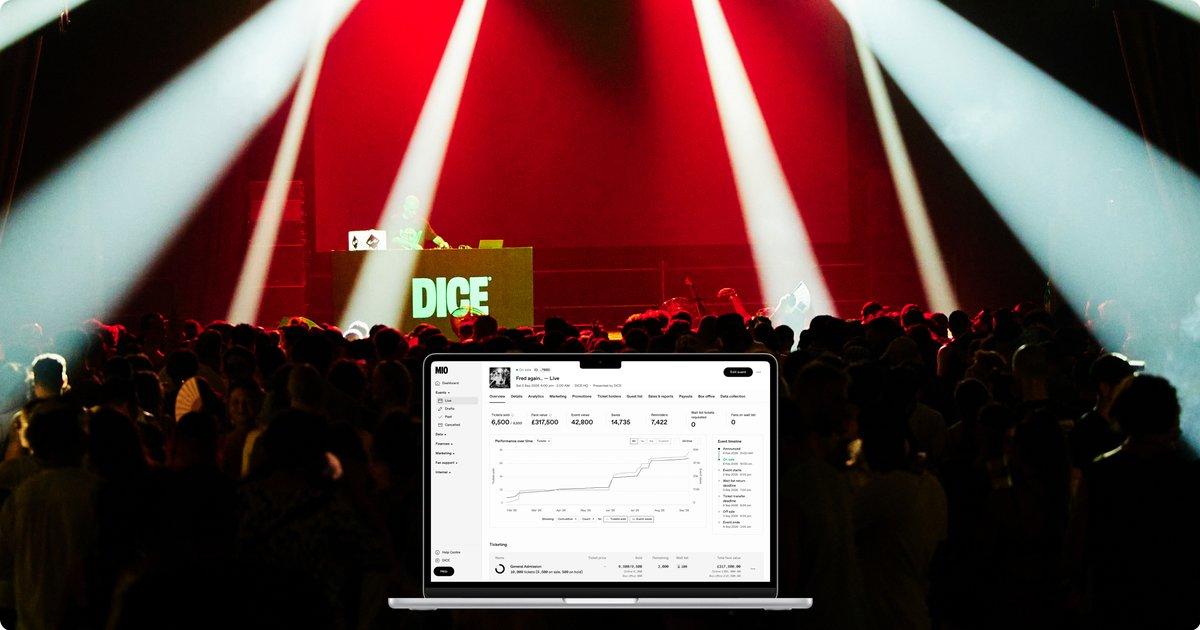
DICE is the ticketing app a lot of fans already have on their phone for club nights, gigs and festivals. For organizers, it is a full ticketing setup: you build the event in DICE MIO, DICE puts it in front of fans who are likely to buy, and the tickets live in the app so they are hard to tout and easy to scan.
This guide walks through how venues and promoters use DICE, step by step, from creating the event to getting paid. It ends with the part that happens after DICE pays out: paying the artist, the crew and the vendors who made the night work.
Header image: DICE MIO, from dice.fm/partners.
What DICE is good at
DICE describes itself as ticketing for "shows, club nights and festivals," from local rooms to international festivals. Fever acquired DICE in June 2025, and DICE kept its fan app, its pricing model and its waiting list. A few things set it apart for organizers:
- All-in pricing. The price a fan sees first is the price they pay at checkout. DICE was recognized by the White House for upfront pricing, and fans trust it.
- The waiting list. When a show sells out, fans join a queue for tickets other fans return, at face value. You can see how many people are waiting, which tells you when to add a second date. (DICE on the waiting list)
- Tickets locked to the phone. QR codes appear in the app about two hours before doors and are very hard to screenshot. Transfers happen inside DICE, so touts have little room to work.
- Discovery. New shows go to the home screens of fans whose listening and buying history fits the lineup. Your event reaches people who never followed you.
- Marketing that runs on its own. On-sale reminders, "Running Low" alerts when an event passes 80% sold, and follow-ups to fans who left checkout. (dice.fm/partners)
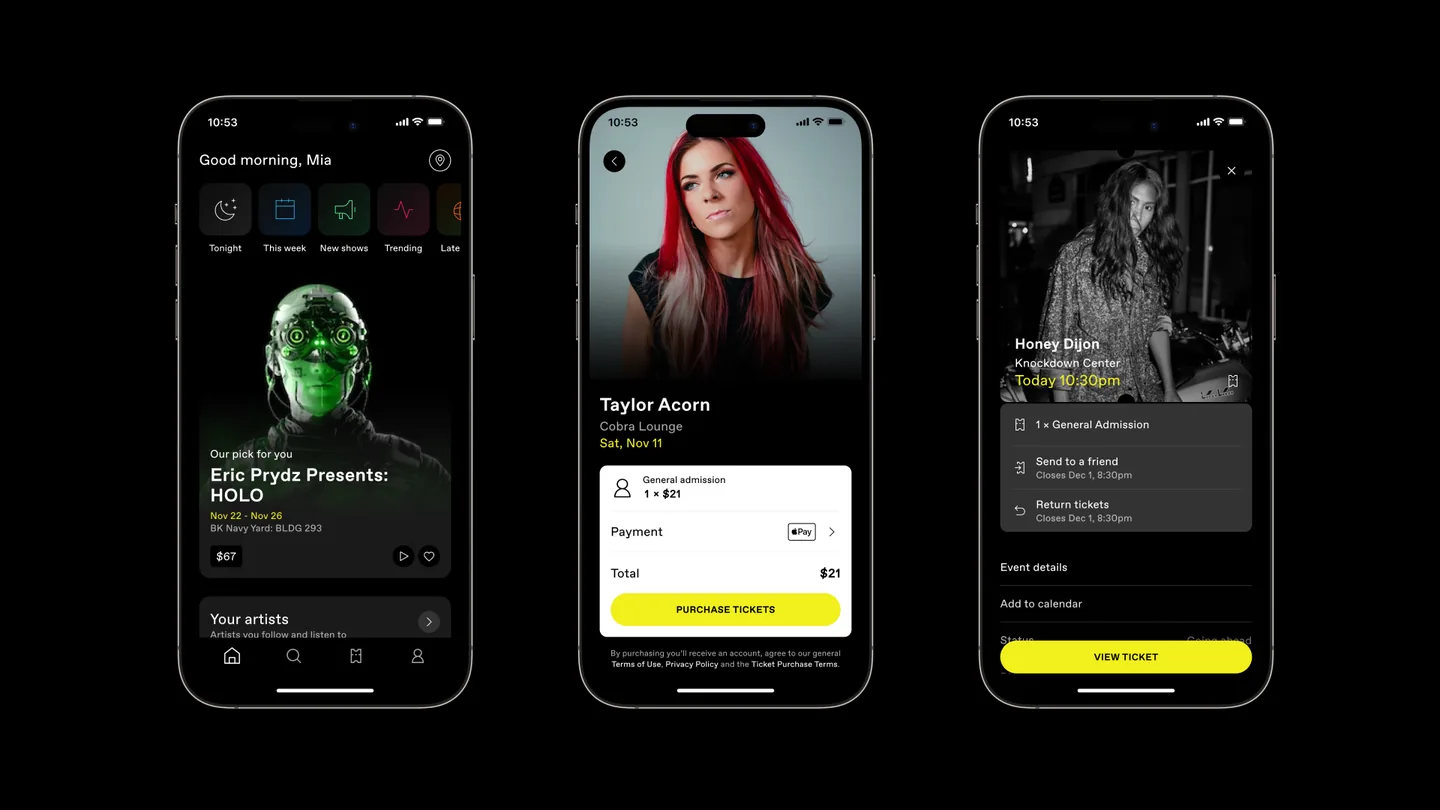
Image: the DICE fan app, from the DICE press kit.
Who uses DICE
DICE is used by independent music venues, club promoters, comedy promoters and festivals. On its own pages DICE names venues such as Knockdown Center in New York, Rough Trade and The Clapham Grand, and promoters including Everyday People in Los Angeles, the Newport Jazz and Folk festivals, and Berk's Nest. Its US growth announcements list Saint Vitus Bar, ViViD Presents and Phase 3 Presents, and its one-year update with Fever names Sound Nightclub, Public Records and Framework.
What these organizers have in common: a busy calendar, a music-first audience, and a lot of nights that would otherwise be lost to bots and resellers.
How to sell tickets on DICE, step by step
DICE sums up the process as "Create account, submit event, sell tickets, get paid." Here is what each step involves for a US organizer using self sign-up. The details come from DICE's MIO terms for US organizers and partner pages. If you sign a negotiated partner agreement, your terms may differ.
1. Create your DICE MIO account
MIO is DICE's organizer dashboard. Sign up at mio.dice.fm and accept the organizer terms and user guidelines. Add your bank details early. DICE pays out to the account on file, so this is the step that decides how fast money reaches you after the show.
2. Build the event
DICE says the average event takes under two minutes to build in MIO. Add the lineup, the venue, doors and set times, artwork and the announce date. Set up your ticket types, such as early bird, general admission, VIP or tables. Extras like VIP upgrades, drinks or camping can be sold in the same checkout. DICE says events that use extras see 40% more revenue.
3. Set the price
Enter the face value and any venue levy. DICE adds its service fee on top, so the fan sees one all-in price from the start. For US self sign-up, DICE's published terms put that fee at 13% of face value, with a lower rate for charity tickets and no fee on free tickets. Negotiated partners have their own rates.
4. Announce and go on sale
Once DICE reviews and lists the event, the app sends reminders to interested fans 15 minutes before tickets go on sale and pushes the show to fans through discovery. You can also put DICE checkout on your own website and link your Spotify and YouTube. Share your event link everywhere you already promote.
5. Turn on the waiting list when you sell out
When the last ticket goes, switch on the waiting list. Fans who can no longer go return their tickets, and fans in the queue buy them at face value. Watch the count of people waiting: a long queue is a signal to book a second show.
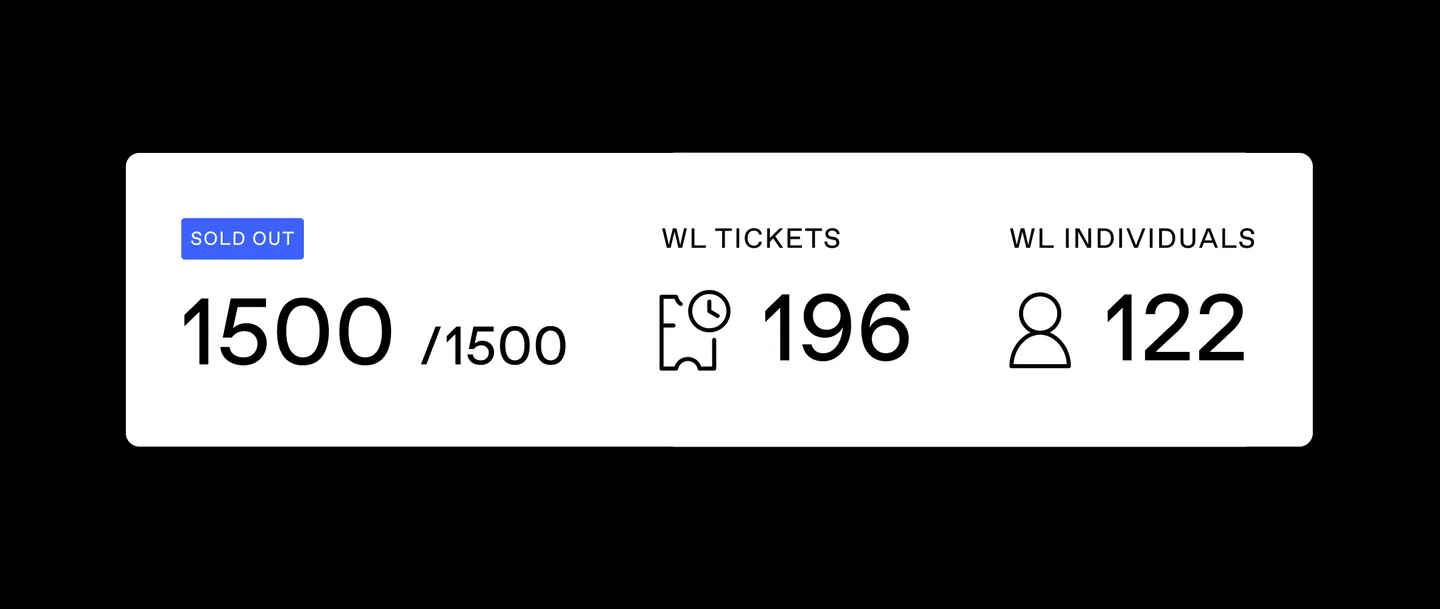
Image: the DICE waiting list, from dice.fm/partners/ticketing.
6. Scan fans in with DICE Access
On the night, door staff use the DICE Access app to scan tickets and check the guest list. It keeps working if the signal drops. For walk-ups, DICE's On Site app takes contactless payments at the door.
7. Check your numbers in MIO
MIO shows sales, finances and fan data on one screen, with tabs for analytics, marketing, promotions, ticket holders, guest list, sales and reports, payouts and box office. DICE can email automatic ticket counts to your agent, your staff and your bar team, so nobody has to ask how many people are coming.
How DICE payouts work
Under DICE's US self sign-up terms:
- DICE collects ticket money as your agent and pays you within 5 business days after the event. Where it is available, you can start the payout yourself from the Payouts tab in MIO.
- Your payout is ticket sales minus DICE's fees, plus your share of any waiting list uplift you agreed with DICE.
- DICE can pay an advance before the show. It is netted against the final payout.
- For a cancelled or rescheduled show, refunds come out of the funds DICE is holding for you.
- DICE may hold back a small share of sales for a period to cover chargebacks. Plan your cash around the payout, not the gross.
Those numbers come from the published self sign-up terms as of November 2026. If you have a negotiated agreement, check yours.
After DICE pays out: paying the people who made the night
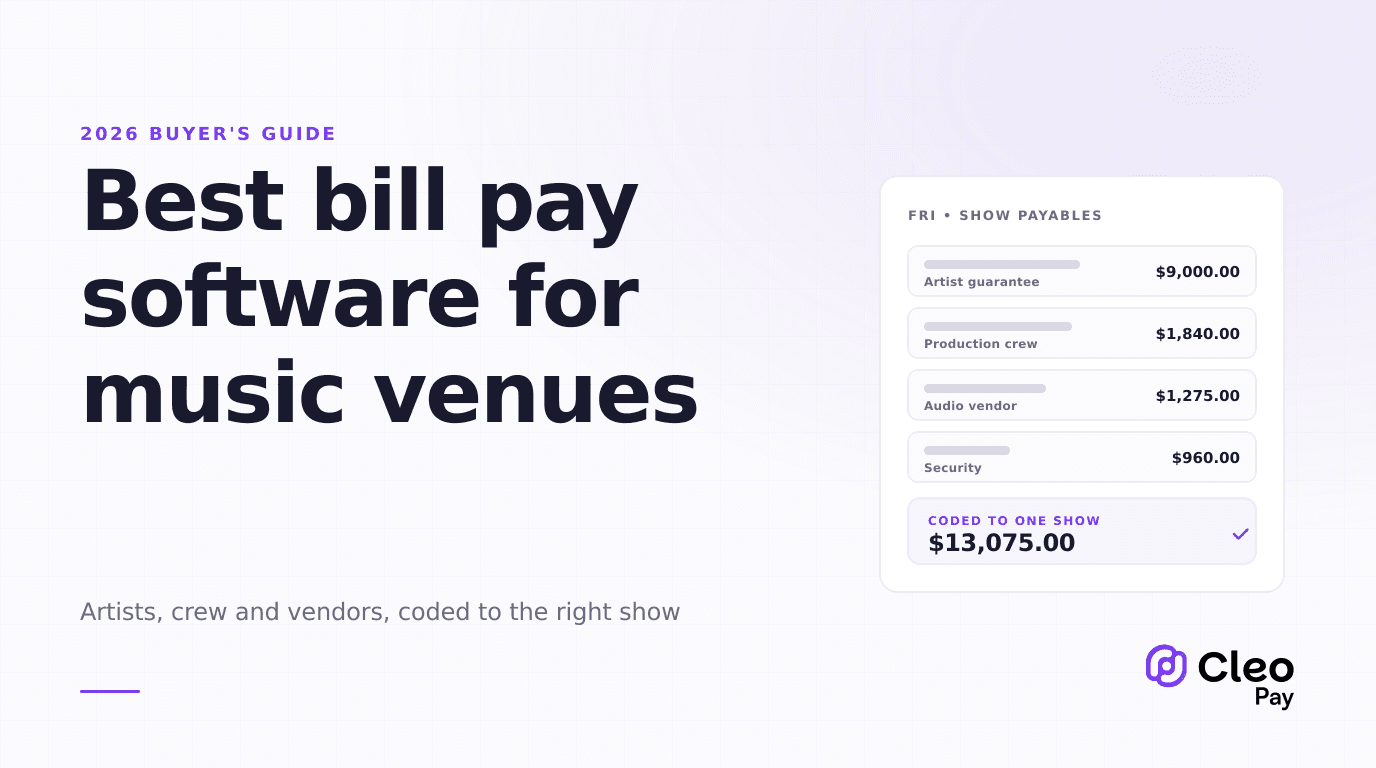
DICE gets fans in the door and gets you paid. Then comes the other half of the show: the headliner's guarantee, the support act's flat fee, the sound engineer, the lighting tech, security, the bar staffing agency and the backline rental. Some of those are companies that send invoices. Many are individuals who expect to be paid the next morning and have never filled out a vendor form.
That is the work Cleo Pay is built for. Here is how promoters and venues use it alongside DICE:
- Collect every payee's details once. Send one link or QR code. The artist, DJ or crew member creates a free account, fills in a W-9 with a signature, and adds the bank account they want paid into. Cleo Pay checks the name and tax ID against the IRS.
- Get invoices in without retyping them. Upload a photo or PDF of a vendor invoice. Cleo Pay reads the vendor, amounts and line items and suggests a category.
- Approve before money moves. Route bills over a set amount to the right person. On Growth and above, approvals can have several steps.
- Pay by bank transfer. Pay one bill or a whole show's worth at once. Same-day payments are available on Growth and Max.
- File 1099s in January. Cleo Pay prepares 1099-NEC forms from what you paid and e-files them with the IRS on Growth and Max. For payments made in 2026, the 1099-NEC threshold is $2,000 (what changed).
- Keep the books in sync. Bills, vendors and payments flow to QuickBooks Online with the categories you chose.
Put the DICE payout next to what you paid out for the same date and you have the real result of the night. Our guide to closing an event P&L faster covers how to set that up.
DICE show checklist
- MIO account set up and bank details added
- Event built with ticket types, extras and announce date
- Face value and venue levy entered
- Event link shared on your site, Spotify and socials
- Waiting list ready to switch on at sell-out
- Door staff logged in to DICE Access
- Artist and crew W-9s and bank details collected before the show
- Vendor invoices in and approved before payout day
- DICE payout matched against the night's costs