
Cleo Pay for iPhone
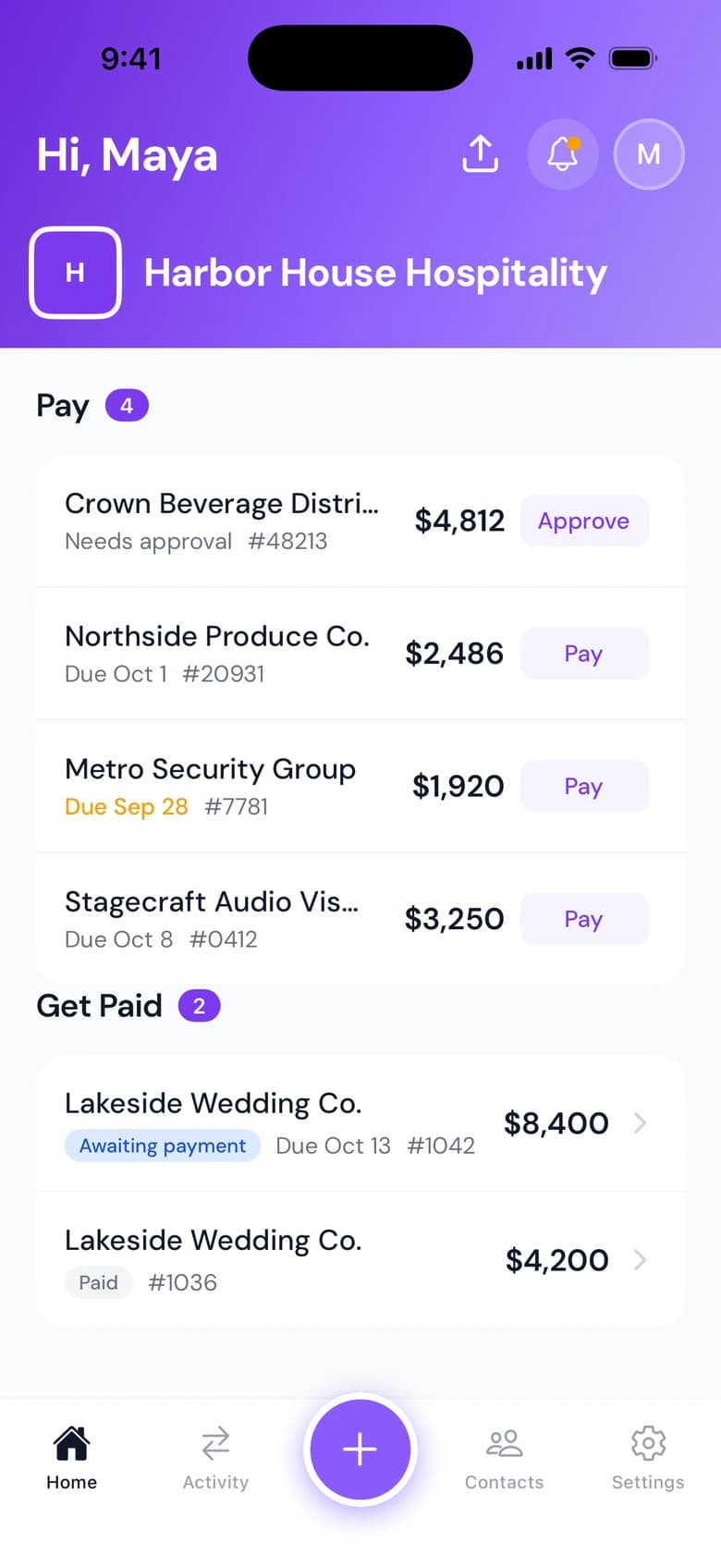
The Cleo Pay iPhone app is for owners and managers who are rarely at a desk. Scan a bill the moment it arrives, pay it, send an invoice with your W-9 attached, and switch between businesses from one login.
Scan and capture bills
Take a photo of an invoice and Cleo Pay reads it into a bill.
Pay from your phone
Pay a bill from the same app you scanned it in.
Send invoices
Create an invoice, attach your W-9 and email it to one or more recipients.
How it works
How the app works
Download Cleo Pay from the App Store and sign in with your Cleo Pay login.
Scan bills as they arrive, and see every bill and invoice in one list.
Pay bills, send invoices and switch businesses without opening a laptop.
The same account on the web and on iPhone.
Bills, contacts and invoices are shared between the app and the web dashboard. The Cleo Pay balance, cards, budgets and Cleo Agent are on the web.
Download for iPhone- Bills and invoices in one activity list
- Contacts and QR code invites
- Custom fields on bills
- Switch between businesses
Why it matters
Capture at the door
Scan an invoice at the receiving door instead of carrying paper back to the office.
Every business in one login
Switch between businesses without signing out.
Built for iPhone
Download Cleo Pay from the App Store.
Questions
Is there a Cleo Pay mobile app?
Yes, for iPhone. Download Cleo Pay from the App Store and sign in with your Cleo Pay account.
What can I do in the Cleo Pay iPhone app?
Scan and capture bills, pay them, see your bills and invoices, create and send invoices with your W-9 attached, manage contacts and switch between businesses.
Can I use my Cleo Pay balance or cards in the app?
Not in the app. The balance, cards, budgets and Cleo Agent are on the web dashboard.
Do I need a separate account for the app?
No. Sign in with the same Cleo Pay login you use on the web.
Pay and get paid from your phone.
Scan, pay and invoice from the App Store app, and do the rest on the web.
Get started