Platform Features

Accounts payable features for hospitality teams

Cleo Pay is accounts payable and invoicing software for restaurants, bars, venues, hotels and event teams. Onboard vendors, capture and approve bills, pay by ACH, get paid and keep QuickBooks Online up to date from one account.

Get startedBook a demo

Built for the full payment lifecycle

Pay vendors, get paid and keep your books current from one account.
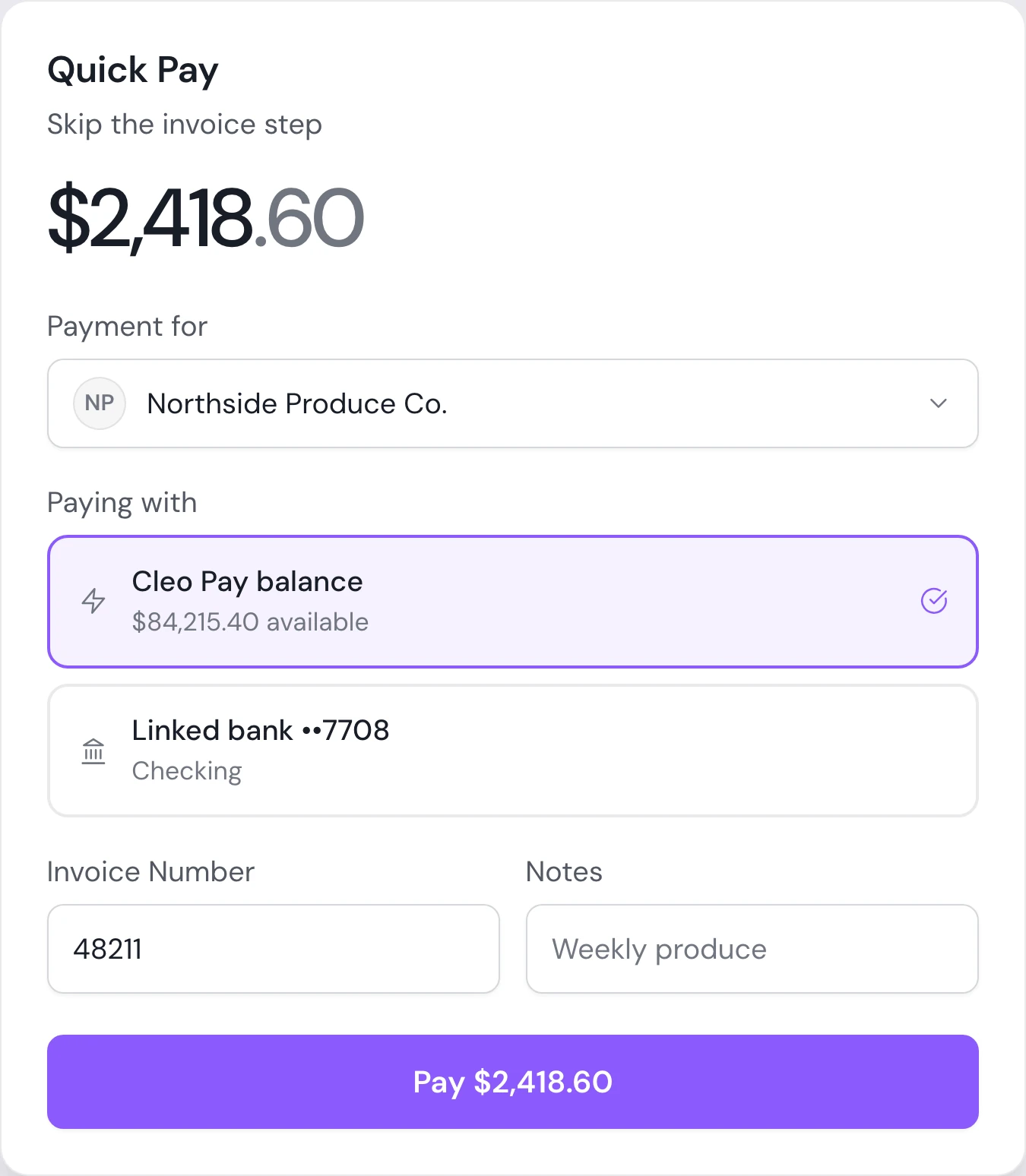
Quick Pay dialog in Cleo Pay paying a produce vendor's bill by ACH

Pay vendors by ACH

Pay an approved bill from its row, or select several and pay them together. Choose your linked bank or your Cleo Pay balance for each payment.

  • Pay one bill or a whole batch
  • Standard ACH, or same-day on Growth and up
  • Possible duplicates are flagged before you pay
  • Paper checks coming soon
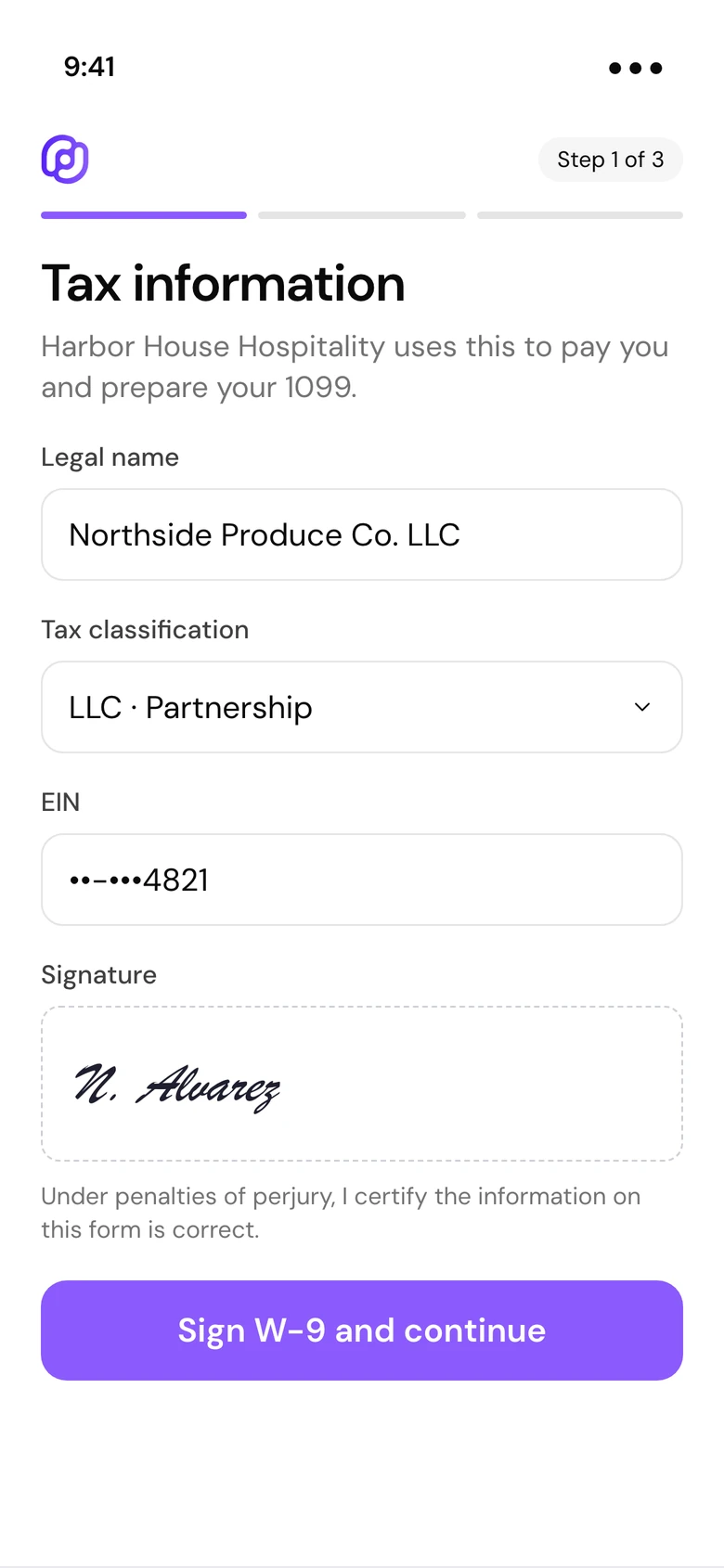
A vendor signing their W-9 on a phone during Cleo Pay onboarding

Vendor onboarding and W-9s

Send one link, QR code or email invite. Vendors sign their W-9 and add their bank details themselves, so they are ready to be paid before the first bill.

  • W-9 signed inside the onboarding flow
  • Vendors add a bank with their bank login or account numbers
  • Download every W-9 from Contacts
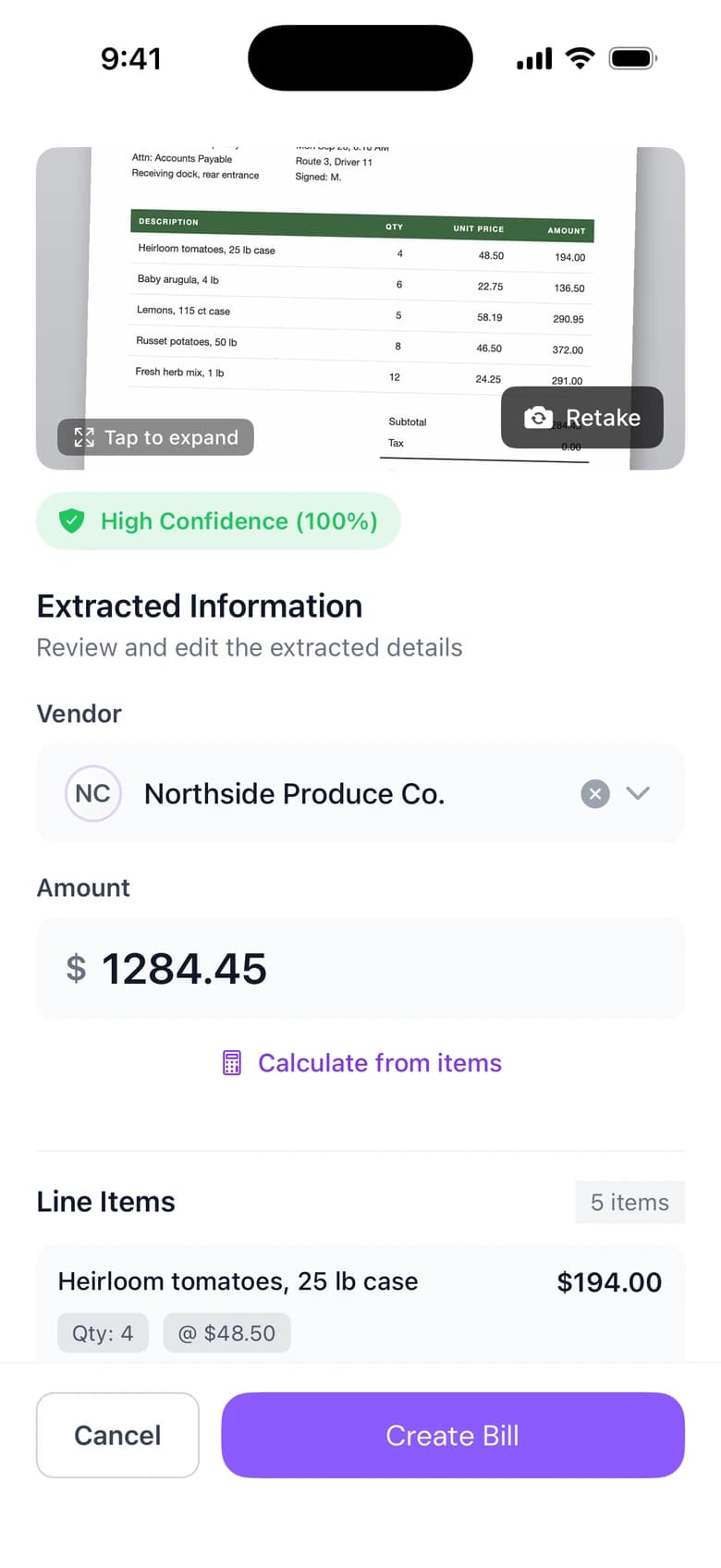
A scanned invoice with extracted vendor, amount and line items in the Cleo Pay iPhone app

Invoice capture

Snap a photo or upload a PDF. Cleo reads the vendor, dates and line items and suggests a category, so you review a draft instead of typing a bill.

  • Photo or PDF, on the web or on iPhone
  • Line items and category suggestions
  • Review, approve and pay from the same screen
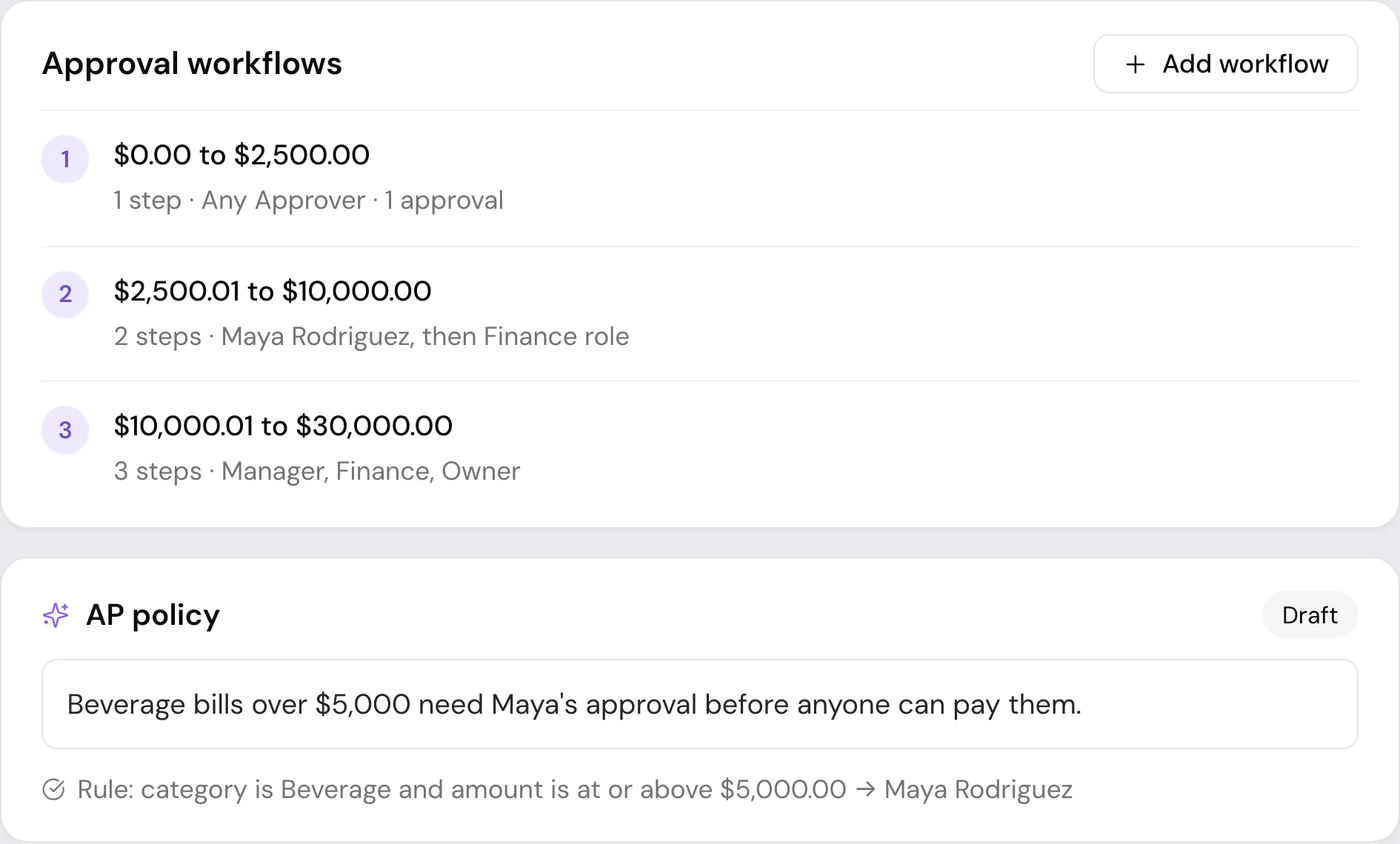
Approval workflows in Cleo Pay with steps for each amount range

Approval workflows

Set approval steps by amount and assign each step to a role or a teammate. Bills wait until the right people approve them.

  • Steps by amount range
  • Approvers by role or by teammate
  • Roles and permissions for every teammate
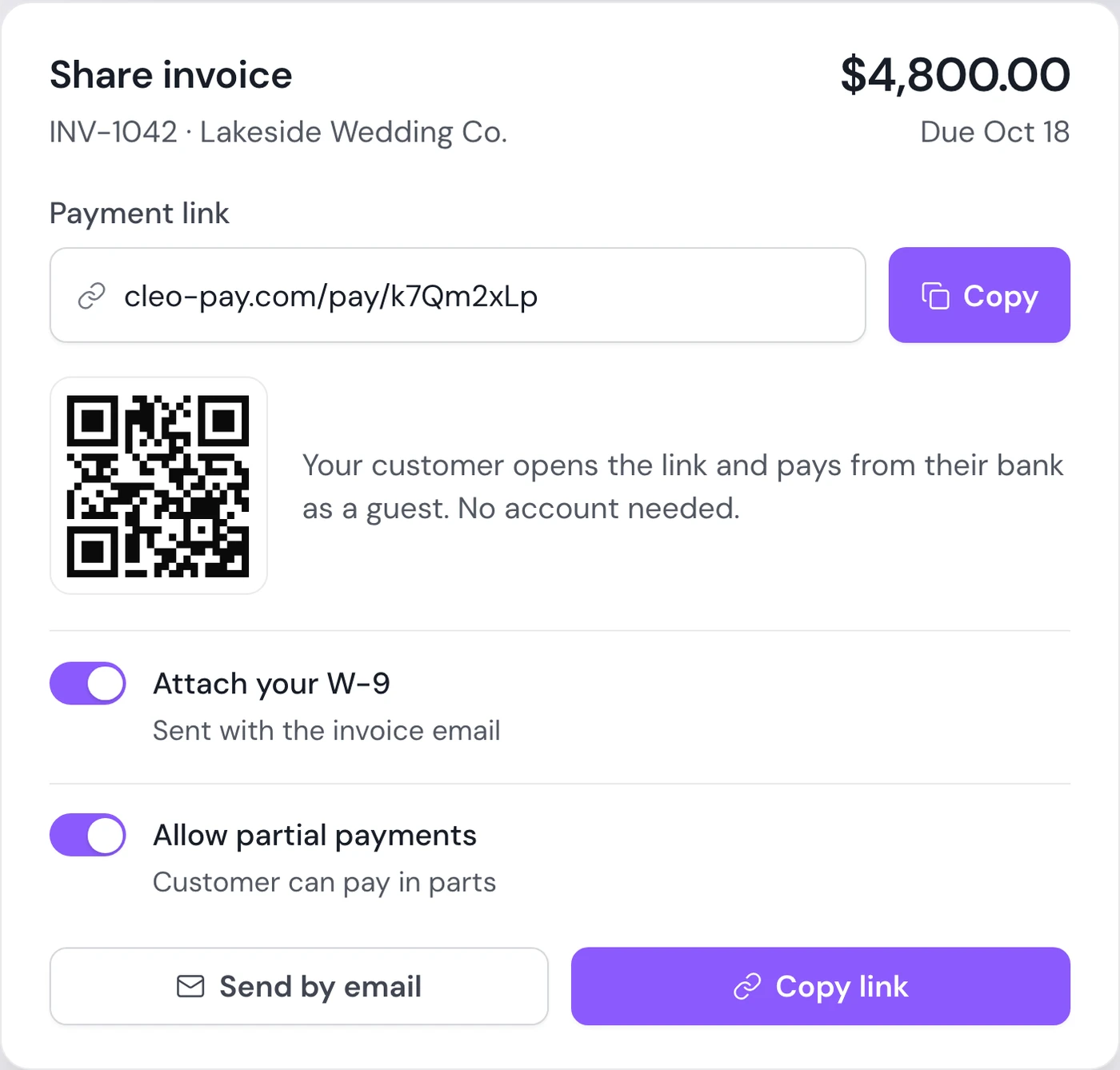
Share invoice dialog in Cleo Pay with a payment link and QR code

Invoices and payment links

Build itemized invoices with sales tax, email them with your W-9 attached, and share a payment link. Customers pay from their bank as a guest, no account needed.

  • A payment link on every invoice
  • Take a deposit now and the balance later
  • Send reminders one at a time or in bulk
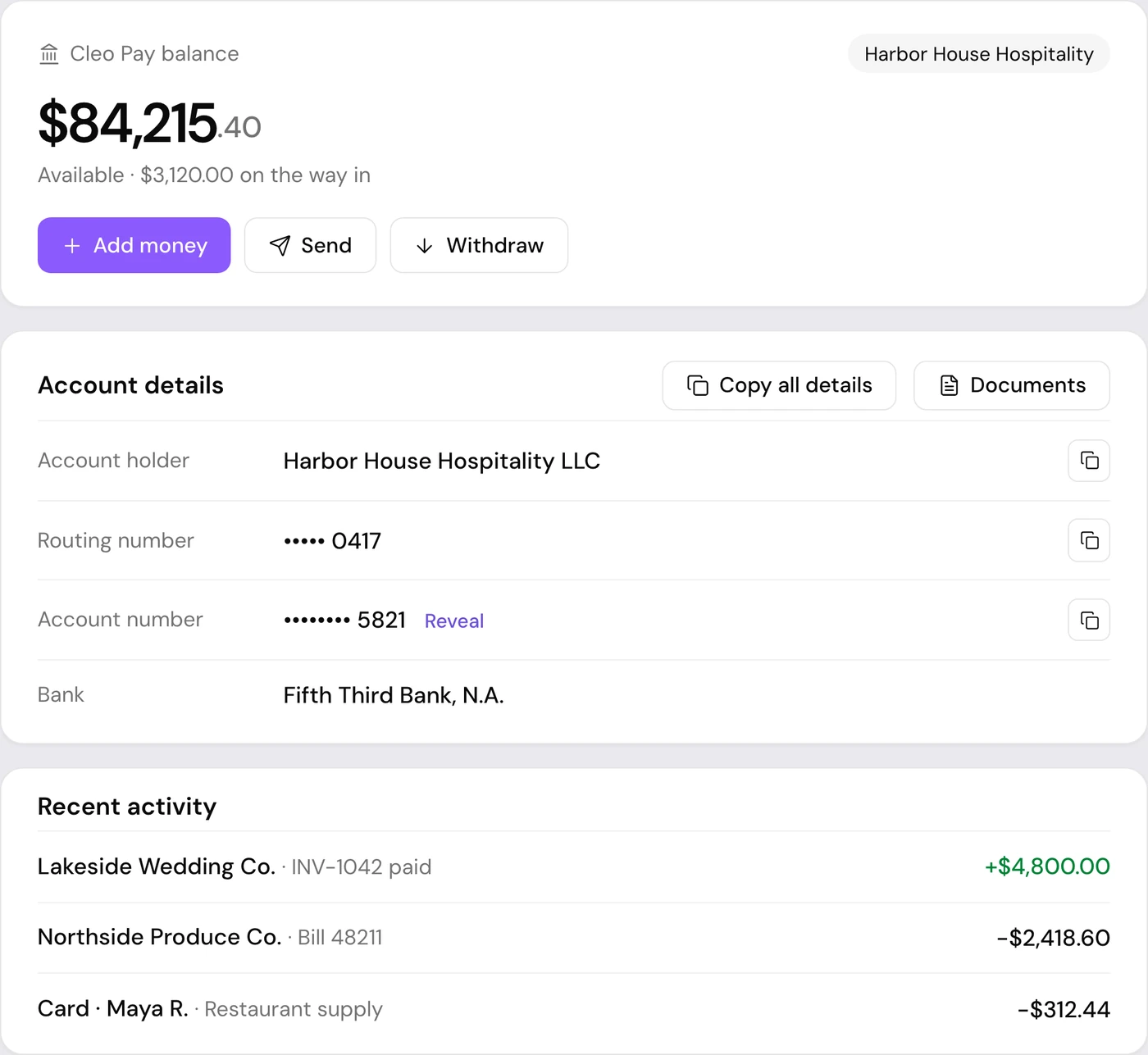
Cleo Pay balance with account details and recent activity

Cleo Pay balance

A balance for your business inside Cleo Pay, with its own account and routing number. Customer payments land here and vendor payments can go out from it. Available to eligible businesses.

  • Your own account and routing number
  • Add money from your bank and withdraw it
  • Funds your team's virtual cards
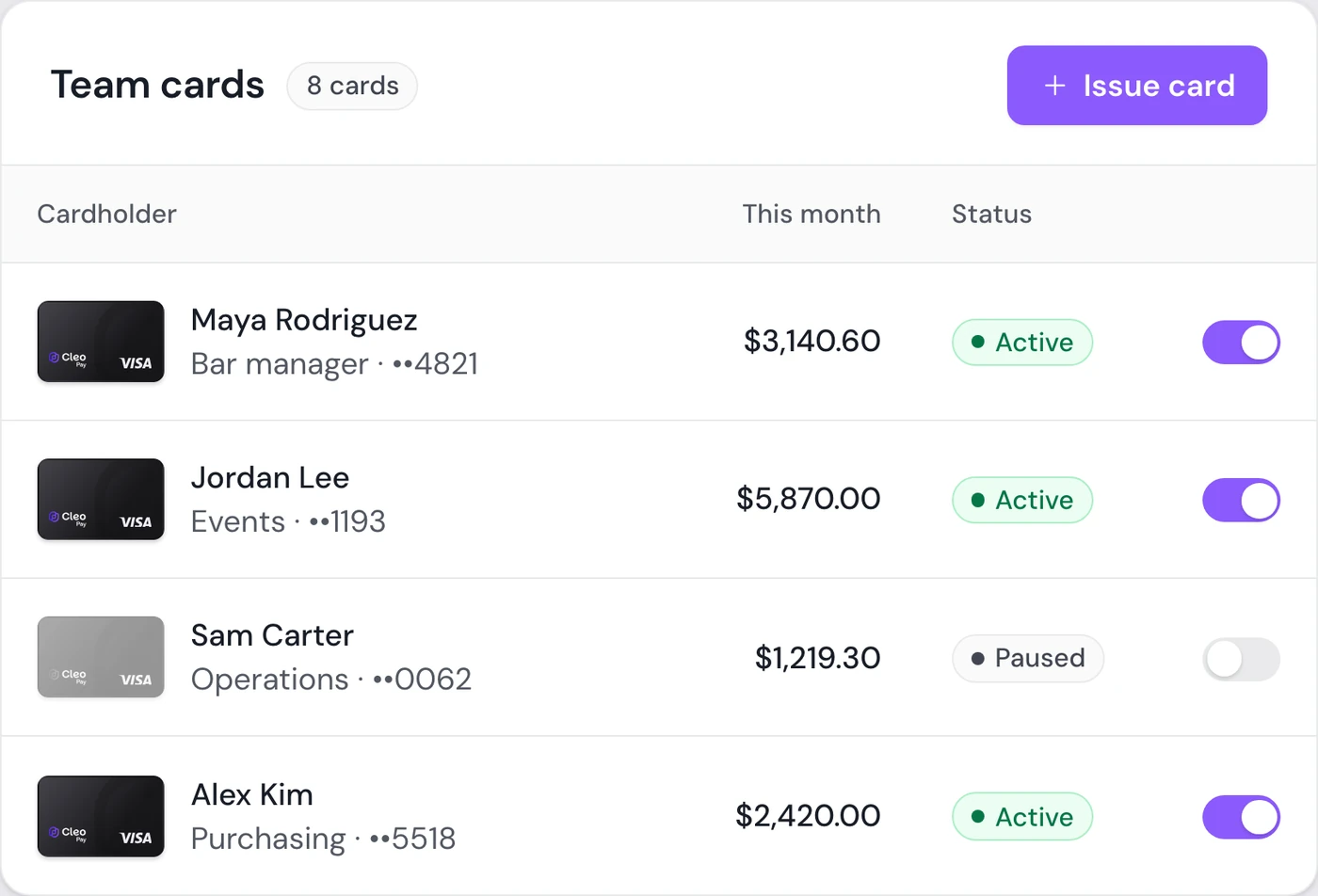
Team cards in Cleo Pay with spend this month and on and off controls

Virtual cards for your team

Issue virtual Visa cards with spend limits, pause any card in one click, and see every charge by merchant, cardholder and category. Available to eligible businesses.

  • A spend limit on every card
  • Pause and resume a card anytime
  • Charges sorted by category, with CSV export
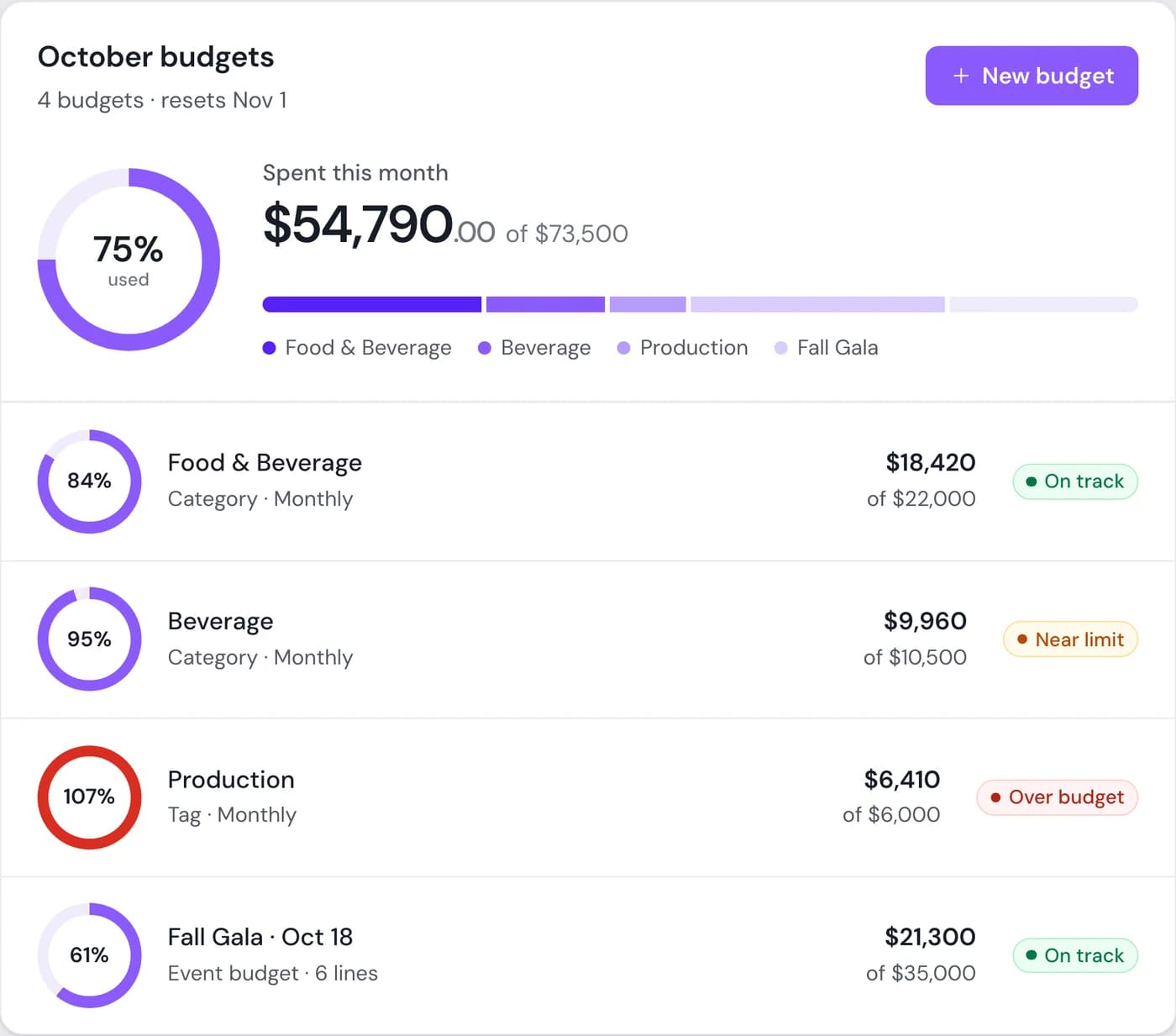
Monthly budgets in Cleo Pay with spend against each budget

Budgets

Set budgets by category, vendor, tag or event and see spend against them as bills come in. Bills over budget can wait for an admin's approval.

  • Monthly or fixed-total budgets
  • Event budgets with a line for each cost
  • Admin approval when a bill goes over budget
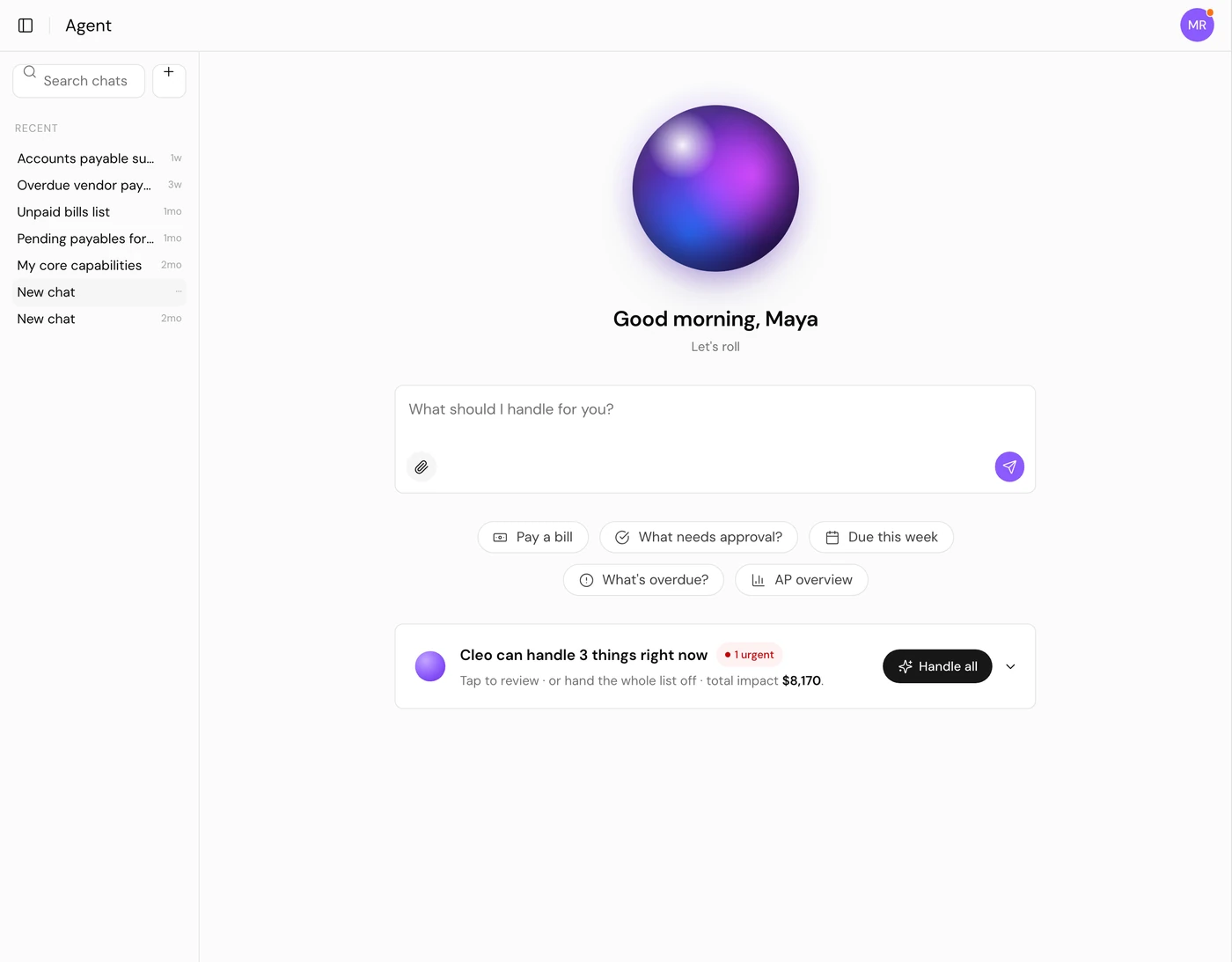
Cleo Agent home screen with suggested questions

Cleo Agent

Ask about your bills, vendors and spend in plain language. The agent drafts bills from invoices, categorizes and tags them, and pays only after you approve. In early access.

  • Ask what is due, overdue or awaiting approval
  • Drafts a bill from an uploaded invoice
  • Payments wait for your approval
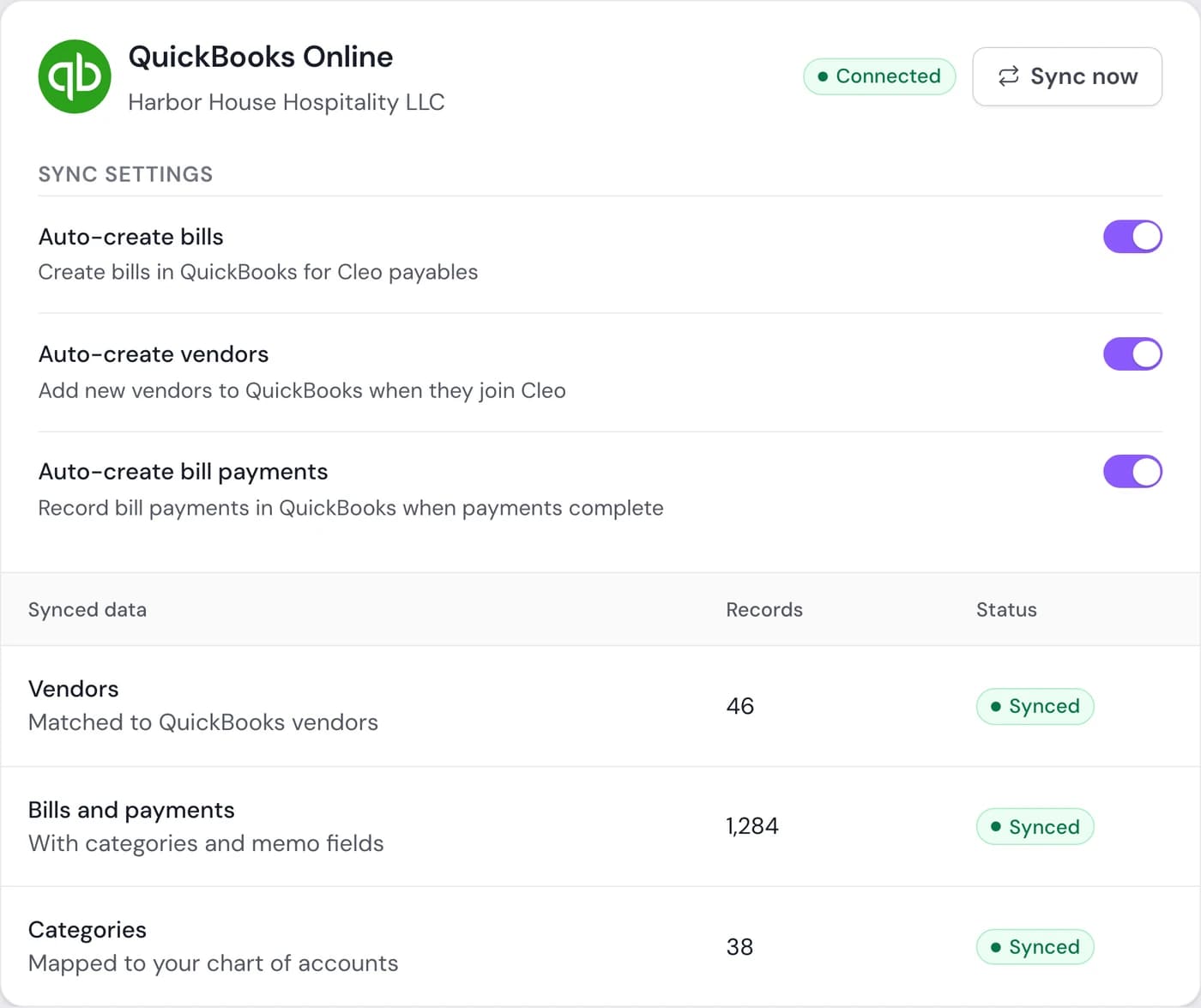
QuickBooks Online connection settings in Cleo Pay

QuickBooks Online sync

Cleo creates bills, vendors and bill payments in QuickBooks Online and maps your categories to your chart of accounts, so your books match what you paid.

  • Bills, vendors and bill payments
  • Categories mapped to your chart of accounts
  • Custom fields carried into the bill memo

Cleo Pay Visa® Commercial cards are powered by Stripe and issued by Celtic Bank.

Cleo Pay partners with Stripe Payments Company for money transmission services and account services with funds held at Fifth Third Bank, N.A.

More in Cleo Pay

Tax forms, contacts, getting paid and the rest of the workflow.

W-9s and 1099-NEC

Vendors sign their W-9 when they join. At year end, 1099-NEC forms are prepared from your payments and e-filed with the IRS.

Shareable onboarding links

One link, QR code or website embed for vendor sign-up. Regenerate it to turn off an old link.

Multiple businesses

One login for every business or location, each with its own vendors, bills and bank accounts.

Contacts

Vendors and customers in one list, with what you have paid each one and what is still open.

Pay Me link

A permanent link where anyone can send your business a payment by bank, no invoice needed.

iPhone app

Scan bills, pay them and send invoices from your phone. Switch between businesses in one login.

Accounts payable

How Cleo Pay runs AP, from the first invoice to the payment and the books.

Accounts receivable

Invoices, payment links and reminders for getting paid by your customers.

Get Paid for vendors

For vendors and contractors who send invoices and get paid by bank.

Duplicate bill check

Cleo warns you when a bill looks like one already entered, before anyone pays it.

Roles and permissions

Admins, approvers, payers and custom roles, each with its own permissions.

Bill.com import

We bring your vendors and payment history over from Bill.com, so you do not retype them.

Questions about Cleo Pay features

What is Cleo Pay?

Cleo Pay is accounts payable and invoicing software for hospitality businesses: restaurants, bars, venues, hotels and event teams. You onboard vendors, capture and approve bills, pay by ACH, send invoices and sync it all to QuickBooks Online from one account.

How do vendors get paid with Cleo Pay?

You pay approved bills by ACH from your linked bank or your Cleo Pay balance. Vendors join through your link, sign their W-9 and add their bank details. A vendor who has not joined yet gets an email to claim the payment.

Does Cleo Pay handle W-9s and 1099s?

Yes. Vendors sign their W-9 when they join, and you can download every W-9 from Contacts. At year end, 1099-NEC forms are prepared from your payments and e-filed with the IRS, and vendors download theirs in Cleo Pay.

Which accounting software does Cleo Pay connect to?

QuickBooks Online. Cleo Pay creates bills, vendors and bill payments in QuickBooks and maps your categories to your chart of accounts. Other systems are a custom integration on the Custom plan.

Can customers pay my invoices online?

Yes. Every invoice has a payment link, and your customer pays from their bank as a guest, with no account needed.

Can I run more than one business or location?

Yes. One login can hold several businesses, each with its own vendors, bills, bank accounts and approvals, and you switch between them without signing out.

See the platform in action

Book a walkthrough and see how Cleo Pay handles vendor payments, onboarding and invoicing for your team.

Book a demoSee pricing