
Invoicing and
payment links
Cleo Pay invoicing lets you build a branded invoice, send it by email with your W-9 attached, and get paid by bank from a payment link. Customers pay as a guest with no account, in full or in parts, and you see what is open, overdue and paid.
Itemized invoices
Line items, sales tax, fees, deductions and custom fields on a branded PDF.
A payment link on every invoice
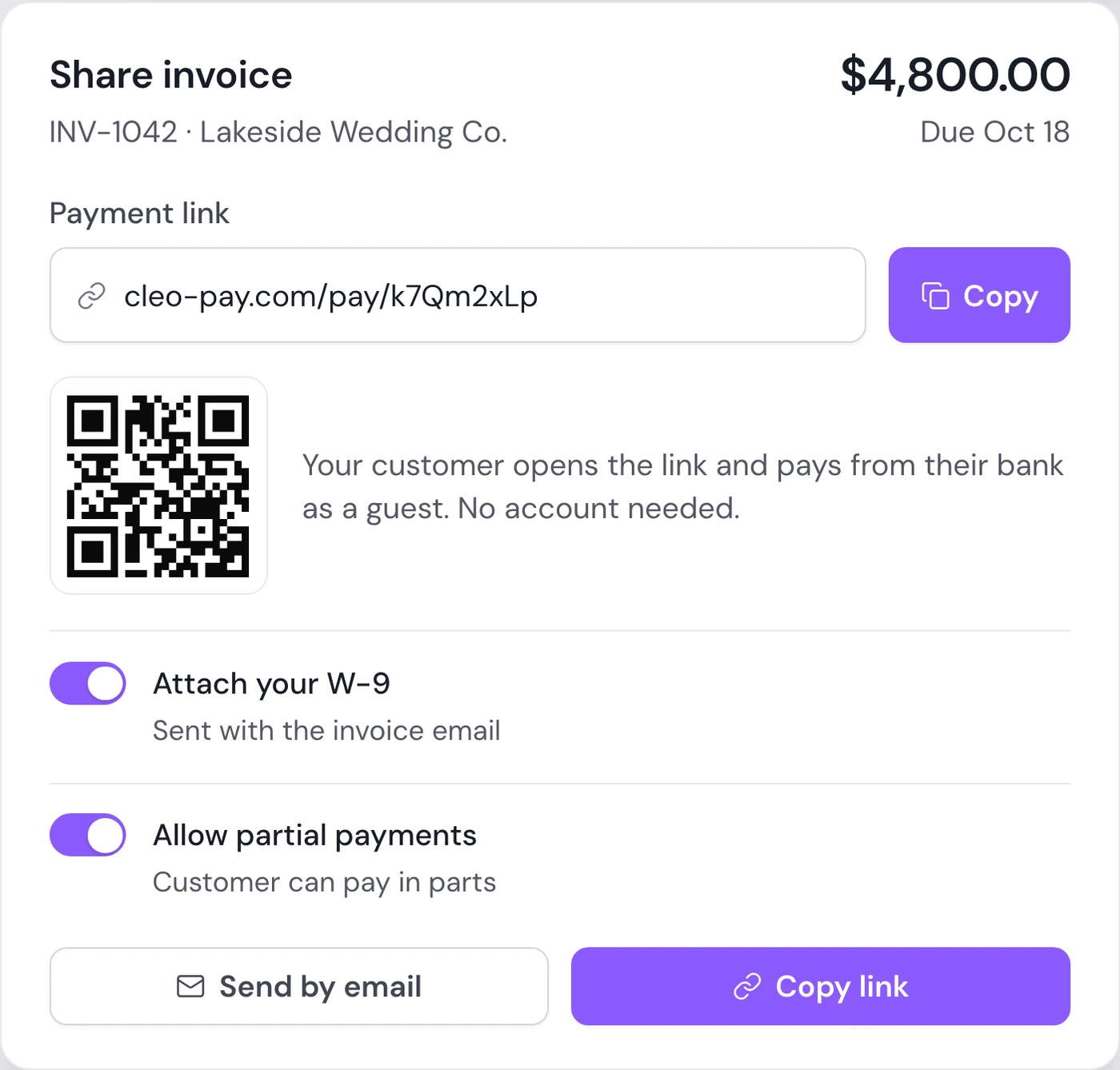
Customers open the link and pay from their bank as a guest.
Reminders in one click
Send a reminder to one customer, or to every overdue invoice at once.
How it works
How invoicing works
Build the invoice with line items, tax and fees, and attach your W-9 if the customer needs it.
Send it by email to one or more recipients, or share its payment link.
Your customer pays by bank as a guest, in full or in parts, and the invoice updates in your Get Paid list.
Customers pay from a link, with no account.
Every invoice gets its own payment link. Your customer sees the invoice, links their bank and pays by ACH as a guest. Allow partial payments when a deposit now and the balance later makes sense.
Book a walkthrough- Pay by bank (ACH) as a guest
- Partial payments when you allow them
- Your W-9 attached to the invoice email
- Open, overdue and paid in one list
Why it matters
See what is overdue
Aging shows which invoices are open and overdue, so you know who to follow up with.
Same contacts as your bills
Customers and vendors share one contact list, so a business you pay can also be one you invoice.
Paperwork included
Attach your W-9 so the customer can pay without asking you for paperwork first.
Questions
How do customers pay a Cleo Pay invoice?
By bank. Each invoice has a payment link where the customer links their bank and pays by ACH as a guest, with no Cleo Pay account needed.
Can customers pay an invoice by credit card?
Not today. Invoice payments are bank (ACH) only.
Can a customer pay an invoice in parts?
Yes. Allow partial payments on the invoice, and the customer can pay a deposit now and the rest later.
Can I send payment reminders?
Yes. Send a reminder to one customer, or to every overdue invoice at once, from the Get Paid page.
Do invoices sync to QuickBooks Online?
Not yet. Bills, vendors and bill payments sync to QuickBooks Online today; customer invoices do not.
Do invoices count toward my plan's payment limit?
No. Invoices you send and payments you receive are unlimited on every plan.
Start sending invoices.
Branded invoices, payment links and partial payments in the same product you use to pay bills.
Get started