
Vendor onboarding link
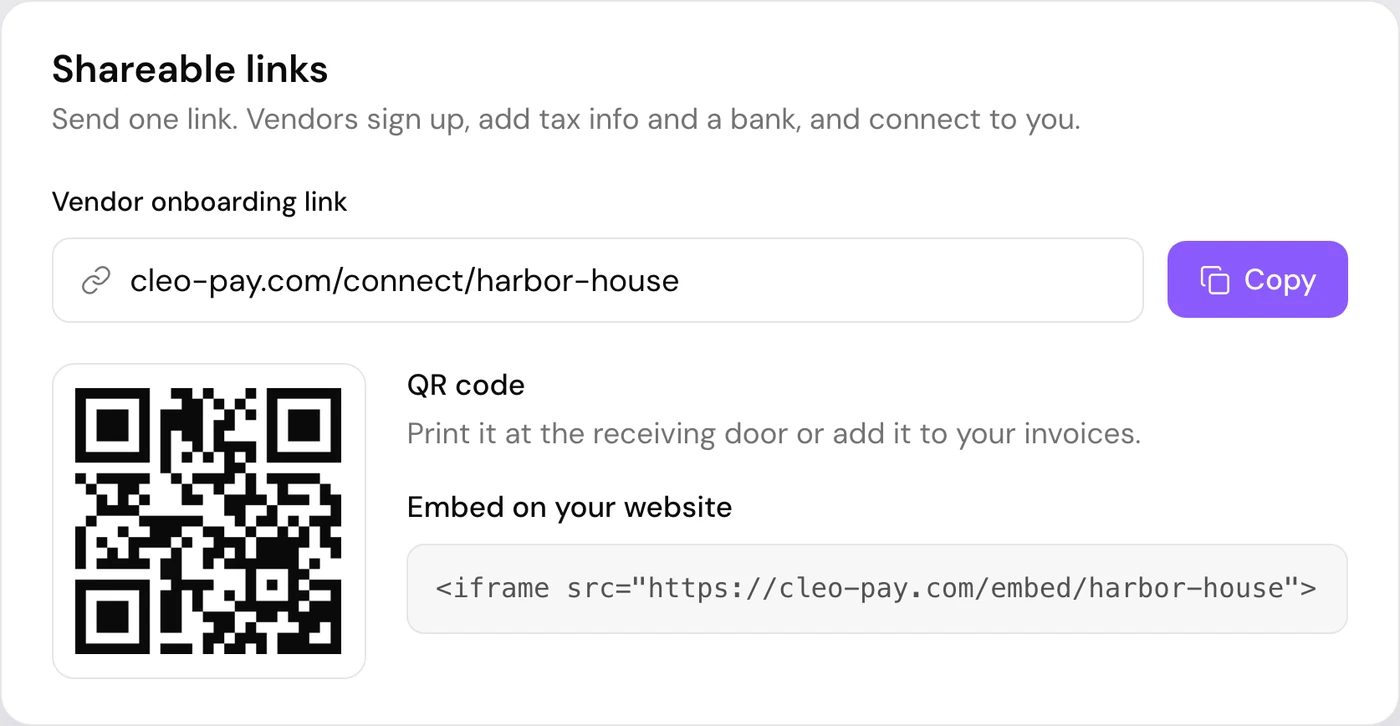
A vendor onboarding link is one URL your vendors open to join your Cleo Pay account, sign their W-9 and add a bank. Share it by text or email, print it as a QR code, or embed it on your website.
Direct link
Paste your link into a text, an email or a purchase order. Vendors open it on any device.
QR code
Print the QR code for the receiving dock, a contract or vendor check-in.
Website embed
Add the vendor sign-up form to your own site with one iframe snippet.
How it works
How the onboarding link works
Copy your link, QR code or embed snippet from Settings, under Shareable Links.
The vendor opens it, creates a free vendor account, and fills in their W-9 with a typed or drawn signature.
They add a bank with their bank login or their routing and account number, and show up in your contacts ready to pay.
Put vendor sign-up on your own website.
Paste one iframe snippet into your site. Vendors fill in their details on your page and land in your Cleo Pay contacts. Regenerate the link at any time to retire the old one.
See a demo<iframe src="https://app.cleo-pay.com/embed/your-link" width="400" height="300" frameborder="0"> </iframe>
Why it matters
W-9 before the first payment
Tax details arrive as part of sign-up and stay tied to the vendor's contact, so there is no PDF to chase.
Regenerate anytime
Create a fresh link whenever you need to, and the old one stops working.
One link for every vendor
Distributors, contractors and event vendors all use the same link, so you stop sending invites one at a time.
Questions
What is a vendor onboarding link?
It is a single URL that lets any vendor join your Cleo Pay account on their own. They sign their W-9 and add a bank, then appear in your contacts ready to pay.
Do vendors pay for Cleo Pay?
No. Vendors create a free vendor account to get paid. Your business pays for its own Cleo Pay plan.
How do vendors add their bank account?
Vendors link their bank with their bank login, or type their routing and account number.
Can I put the vendor sign-up form on my website?
Yes. Settings gives you an iframe snippet that embeds the sign-up form on your own page.
Can I turn off an old link?
Yes. Regenerate the link in Settings and the old URL stops working.
Is there a QR code for the link?
Yes. Your link comes with a QR code you can print for the receiving dock, a contract or vendor check-in.