
Vendor contacts
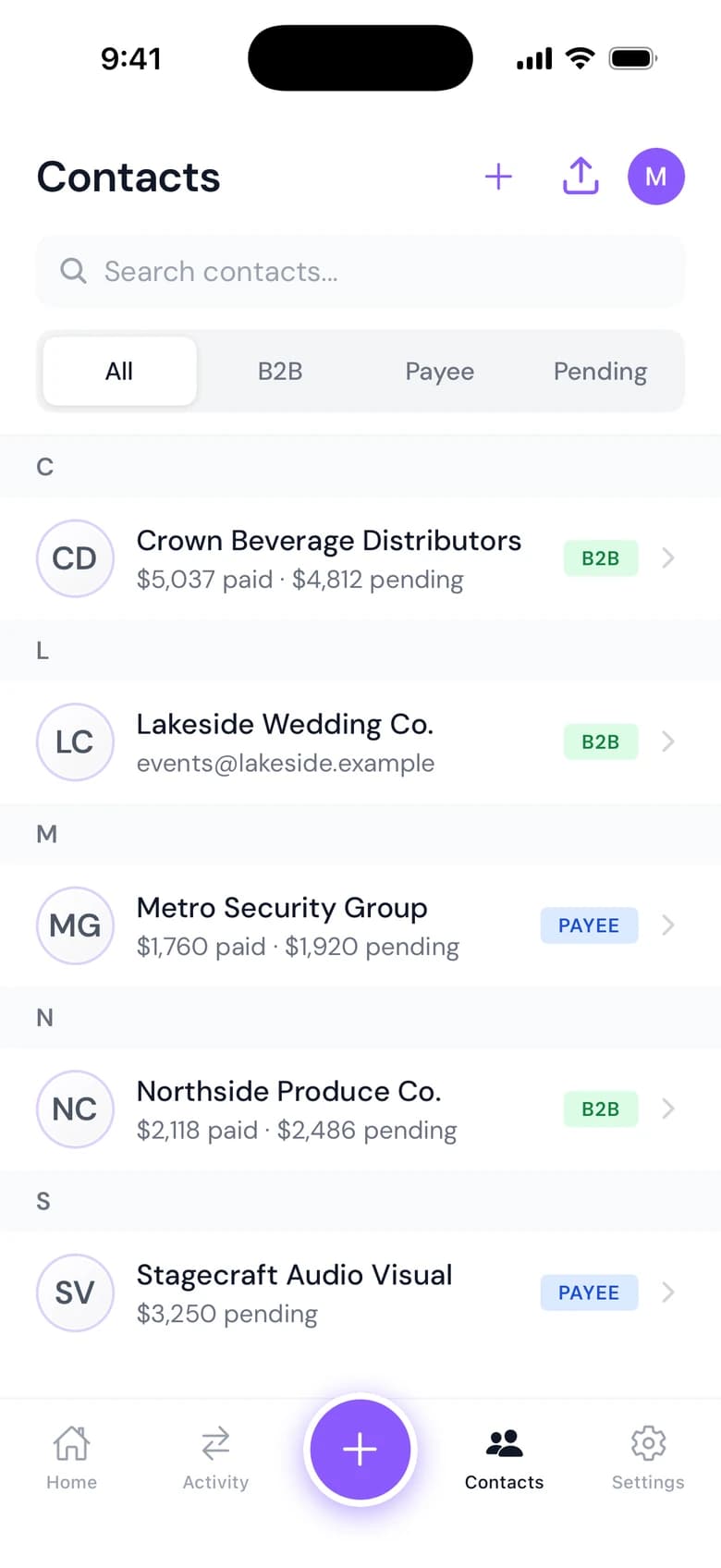
Contacts in Cleo Pay is one directory for every vendor, contractor and customer you pay or bill, with each contact's W-9, payments and balance. Restaurants, venues and event teams use it to see who they owe and who owes them.
One directory
Vendors, customers and connected businesses in a single list you can search and filter.
Totals for each contact
See what you have paid a vendor, what you still owe and every transaction behind it.
W-9s in one click
Download every vendor's W-9 at once, or send your own W-9 to a contact.
How it works
How Contacts works
Import vendors from a CSV, add them one by one, or let them join through your onboarding link.
Search or filter the list and open a contact to see their details and history.
Create a bill or an invoice for that contact, or send an invite so they can finish onboarding.
Everything about a vendor on one screen.
Each profile shows total paid, total owed and every bill, invoice and payment with that contact. Start a new bill or invoice from the same screen.
See a demo- Total paid and total owed for each contact
- Every bill, invoice and payment with its status and date
- Bulk CSV import, and archive for contacts you no longer use
- All, B2B, Payee and Pending filters in the iPhone app
Why it matters
Import your list
Bring vendors in from a CSV instead of typing them.
Bills from the profile
Create a bill or an invoice for a contact without leaving their page.
Contacts on iPhone
Look up a vendor, check what you owe and start a bill from the iPhone app.
Questions
What is vendor contact management in Cleo Pay?
It is the Contacts directory: one list of every vendor, contractor and customer, with their W-9, payments and balances.
Can I import my vendor list?
Yes. Upload a CSV to add vendors in bulk.
Can I download all of my vendors' W-9s?
Yes. Contacts lets you download every vendor's W-9 at once.
Can I see how much I have paid a vendor?
Yes. Each contact shows total paid, total owed and every bill and payment with them.
Can I bring my vendors over from Bill.com?
Yes. Cleo Pay can import your vendors and history from a Bill.com export. We run the import with you during setup.
Is Contacts in the iPhone app?
Yes. The iPhone app has Contacts with All, B2B, Payee and Pending filters.