
Pay Contractors in QuickBooks Without the Manual Work
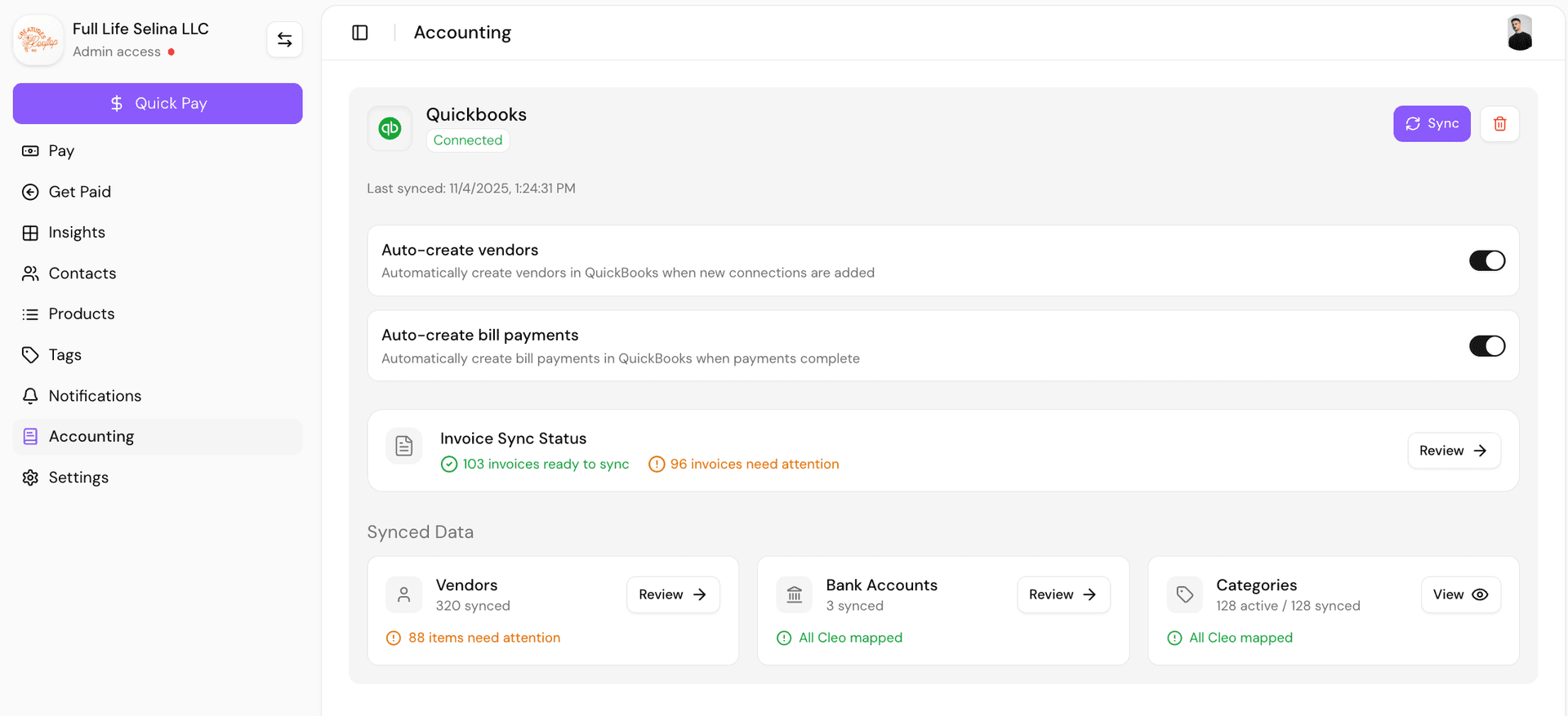
Cleo Pay collects the W-9, runs the approval, sends the ACH payment, and writes every contractor payment back to QuickBooks Online against the right vendor and account. Your 1099 data is current all year, not reconstructed in January.
Two-way sync with QuickBooks Online. Contractors onboard themselves in under a minute.
How it works
Three steps, then it runs itself
The manual part of paying contractors is not writing the check. It is collecting the W-9, chasing the invoice, coding it correctly, and then typing the whole thing into QuickBooks a second time. Cleo Pay removes all four.
- 01
Invite the contractor
Send a link, or share one QR code with a whole crew. The contractor enters their tax details, connects a bank account through Plaid, and signs their W-9. It takes under a minute and you never chase a form.
- 02
Approve the invoice
Contractors submit invoices from their own portal instead of emailing you a PDF. Smart Capture reads the amounts and line items, and you approve in one click from the dashboard.
- 03
Pay and sync
Send Standard ACH at no cost, or Fast ACH when someone needs the money sooner. The moment it clears, the payment posts to QuickBooks Online as a bill payment against the right vendor and expense account.
The sync
What moves between the two systems
| Record | Direction | What happens |
|---|---|---|
| Vendors and contractors | Cleo Pay to QuickBooks | New contractors are created as QuickBooks vendors automatically when you enable auto-create. |
| Bills and invoices | Both directions | Approved invoices become bills. Edits made in QuickBooks flow back on the next sync. |
| Bill payments | Cleo Pay to QuickBooks | Every completed payment posts as a bill payment, so the bill closes and the bank line matches. |
| Chart of accounts | QuickBooks to Cleo Pay | Your existing categories come across and stay mapped, so coding does not drift. |
| Bank accounts | QuickBooks to Cleo Pay | Map each paying account once. Payments land against the account you expect. |
What happens at 1099 time
Because the W-9 is collected before the first payment goes out, you are never reconstructing tax details in January. Cleo Pay keeps a running total for each contractor against the current 1099-NEC reporting threshold, so you can see who crosses it well before year end.
Questions
Paying contractors in QuickBooks
Can you pay 1099 contractors through QuickBooks Online?
How do contractor payments show up in QuickBooks?
Do my contractors need a QuickBooks login?
How does Cleo Pay collect W-9s?
How fast do contractors get paid?
Does this work with QuickBooks Desktop?
Can I onboard a whole crew at once?
What happens when a contractor crosses the 1099 threshold?
See a contractor payment land in your QuickBooks
We will connect a sandbox to QuickBooks Online, onboard a test contractor, and run a payment end to end so you can watch it post.