
ACH vendor payments
ACH vendor payments in Cleo Pay send money from your linked bank or your Cleo Pay balance to a vendor's bank account, for restaurants, venues, hotels and event teams. Pay one bill from its row, or select many and pay them together. Standard ACH has no extra fee, and same-day payments are available on the plans that include them.
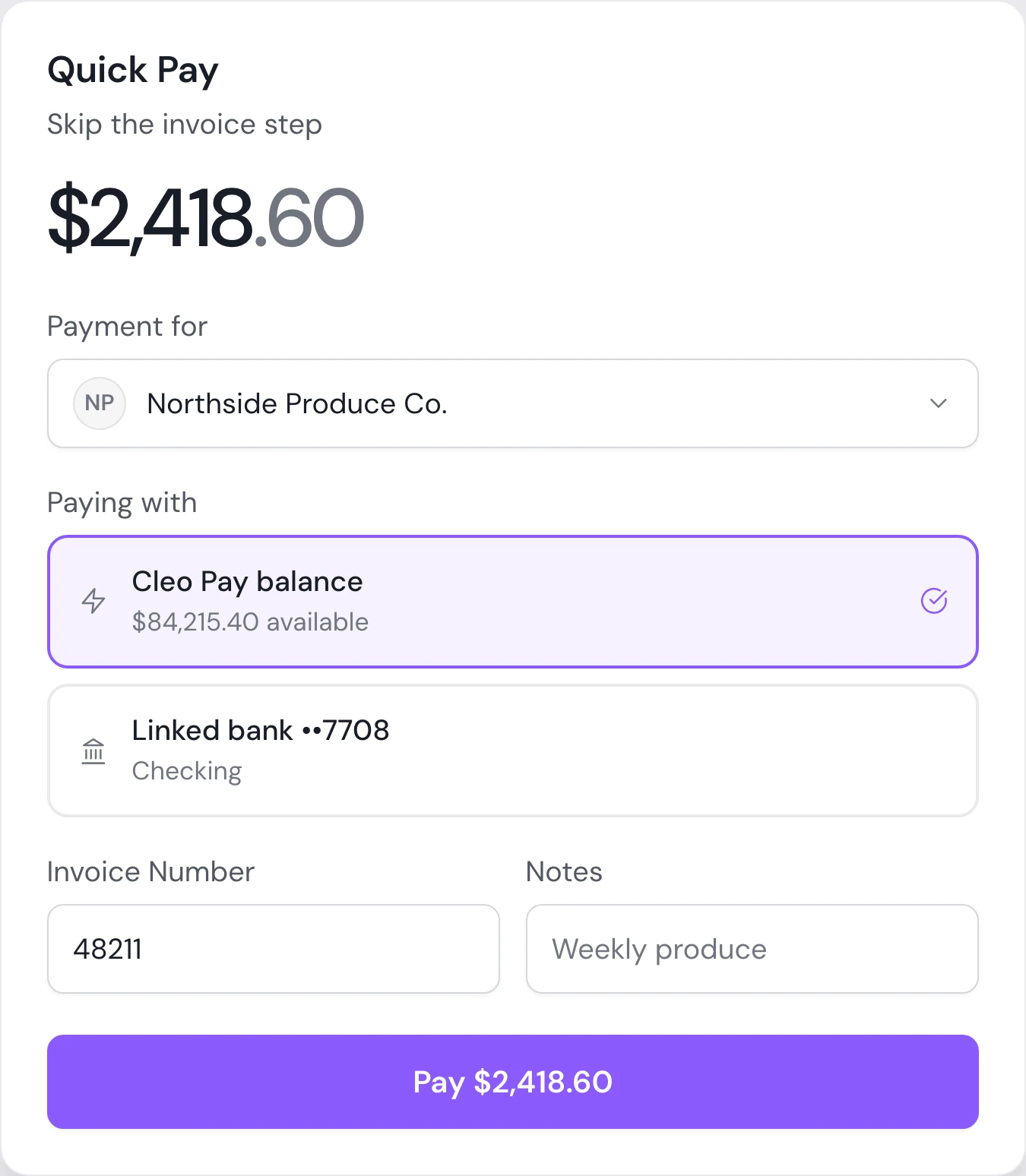
Quick Pay
Pay a bill from its row. Choose the account to pay from and confirm the amount.
Pay in bulk
Select approved bills and send all of the payments in one step.
Bank or balance
Pay from a linked bank or from your Cleo Pay balance, chosen for each payment on eligible accounts.
How it works
How to pay a vendor by ACH
Open an approved bill and choose Pay, or select several bills to pay together.
Pick the account to pay from, then check the amount and the vendor's bank.
Send it. The bill moves from Processing to Paid, and the payment posts to QuickBooks Online when it completes if you use the sync.
See where every payment stands.
Each payment carries a status from approval to settlement, so your team knows what is waiting, what is processing and what has been paid.
See a demo- Statuses from Awaiting Approval and Ready to Pay through Processing and Paid
- Partially Paid when you pay part of a bill now and the rest later
- Payment Held when a vendor has not joined yet, with claim emails sent for you
- A warning before you pay a bill that looks like one already entered
Why it matters
Same-day when it matters
Send a same-day payment when a vendor needs funds today. Same-day is included on Growth, Max and Custom plans.
Pay part of a bill
Send a deposit now and the balance later. Every payment stays on the same bill.
Pay vendors who are not on Cleo yet
The payment is held and the vendor gets an email to claim it and add their bank.
Duplicate check
Cleo flags a bill that looks like one already entered and asks you to confirm before paying.
Paper checks, coming soon
Mailed checks for vendors who do not take ACH are coming soon.
Questions
How much does an ACH vendor payment cost in Cleo Pay?
Standard ACH is included at no extra fee. Each plan includes 20, 100 or 300 payments a month, and extra payments are $3, $2 or $1 depending on the plan.
Can I pay vendors same-day?
Yes. Same-day payments are included on Growth, Max and Custom plans, and standard ACH has no extra fee on every plan. The payment dialog shows the expected arrival before you send.
Can I pay vendors by check?
Not yet. Mailed paper checks are coming soon. Today Cleo Pay pays vendors by ACH.
Can I pay vendors from my Cleo Pay balance?
Yes, on eligible accounts. You can choose your linked bank or your Cleo Pay balance for each payment.
Can I pay many bills at once?
Yes. Select approved bills in the Pay list and pay them together.
What if a vendor has not joined Cleo Pay?
You can still pay them. The payment is held, the vendor gets an email to claim it, and it goes out once they add their bank.
Can I pay part of a bill?
Yes. Pay a deposit or any part of the bill now and the rest later. Cleo Pay keeps the remaining balance on the bill.
Pay every vendor from one place.
Standard ACH or same-day payments from your bank or your Cleo Pay balance, with approvals before anything goes out.
Get started