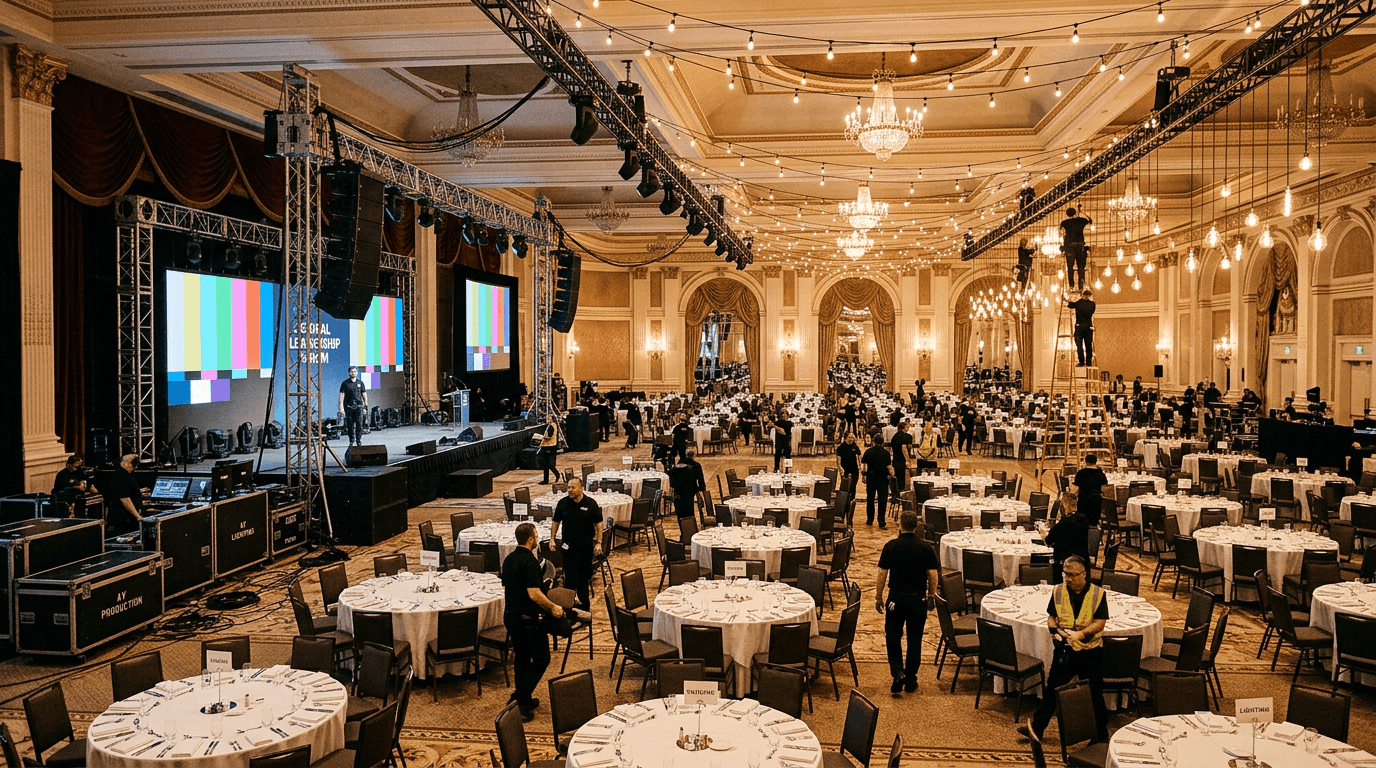
Choosing bill pay software for catering and event companies is a different problem than picking it for a restaurant, because catering and event companies do not pay vendors the way a restaurant does. A restaurant pays the same forty suppliers every week. A caterer pays a different roster for every job: a tent vendor on a 50% deposit, a floral house COD on delivery, an AV crew of six 1099 techs who want to be paid by Friday, two bartenders, four servers from a staffing pool, a security contractor, and a band that took a deposit through a music agency. Then the whole thing has to roll up to a single event P&L so you know whether the Saturday wedding actually cleared margin.
If you have ever closed the books on an event a month late because you were still chasing W-9s from day-of staff, this guide is for you. We cover the evaluation criteria that actually matter for event and catering AP, walk through the categories of bill pay tools and where each fits, share real pricing, and flag the patterns that predict a painful rollout.
Why generic AP tools struggle with catering and events
Most AP platforms assume a stable vendor list and a single GL account per bill. That assumption holds for a law firm. It collapses the moment you run events, because the unit of work is not the month, it is the job.
The specific ways generic tools break for caterers and event producers:
- Vendor and contractor onboarding is too slow. You hire a different crew for every event. If adding a new server, bartender, or AV tech and collecting a W-9 takes 20 minutes of back-and-forth, you will skip it, pay them anyway, and scramble at 1099 season.
- No job or event dimension. Generic tools code a bill to one account. They cannot tag a $1,400 tent deposit, a $620 floral invoice, and six contractor payments all to "Henderson Wedding, June 14" so the costs land on one P&L.
- Deposit and COD handling is clumsy. Rental, AV, tent, and floral vendors frequently want 50% up front and the balance on delivery. Tools built for net-30 invoices treat a deposit as an orphan with no matching bill.
- 1099 and W-9 automation is an afterthought. Heavy 1099 contractor pay is the defining feature of this vertical. If the tool does not collect W-9s at onboarding and generate 1099s in January, you inherit a compliance project every winter.
- Turnaround is too slow. Day-of staff and gig crews expect to be paid within days of an event, not on a 30-day cycle. A tool that only does standard ACH leaves you writing checks to keep people happy.
The evaluation criteria that actually matter
If you are writing an RFP or a comparison grid for event and catering AP, score these. Skip the surface features and press here.
1. Contractor onboarding speed and W-9 collection
This is the number one criterion for this vertical. Ask the vendor to add a new 1099 contractor live in the demo. Time it. Does the contractor get a self-service link to enter their own details, upload a W-9, and connect a bank account? Or does someone on your team key it all in? See our notes on vendor onboarding best practices for what good looks like.
2. 1099 automation
The tool should track every 1099-eligible payment through the year and generate filings in January with no manual reconciliation. Ask: does it flag contractors who cross the reporting threshold, and does it handle TIN matching?
3. Job and event cost coding
Every payment should be taggable to a specific event or job, not just a GL account. Ask whether you can pull a single event's full cost stack (rentals, AV, floral, contractor labor, security) in one view, and whether that tag flows to QuickBooks classes or a project dimension.
4. Deposit and COD support
Rental, tent, AV, and floral vendors often take a deposit then bill the balance. The tool should let you pay a deposit, match it against the final invoice, and avoid double-paying. COD vendors need same-day or instant payment, not a net-30 queue.
5. Fast payment rails
ACH, same-day ACH, and instant transfer, all from one interface. After a Saturday event, you want to pay the AV crew on Monday, not on the 30th. Switching rails should be a dropdown, not a separate product.
6. Approval workflow flexibility
Rules by vendor, dollar amount, event, or contractor type. Mobile approvals matter when the owner is on-site at an event and a deposit needs releasing. Audit trail included.
7. Seasonal scaling
Event volume spikes (holidays, wedding season, festival season). Pricing and limits should not punish you for a busy quarter. Watch for per-transaction fees that balloon when you process 300 contractor payments in December.
8. Fraud controls
Vendor bank-account verification, dual control on payments above a threshold, and bank-change alerts. With a roster that turns over every event, verifying that the bank account belongs to the contractor matters more here than almost anywhere. Background: our payment fraud prevention post.
9. Accounting sync
Confirm near real-time sync to QuickBooks Online or your accounting system, and that the event or job tag is preserved, not flattened to a header total. Without that, your event P&L stays manual.
10. Implementation and support model
Who runs the implementation, and how long does it take? A single catering operation should be live in under a week. If a rep quotes you months, the tool was built for someone else.
The four categories of event and catering bill pay tools
In 2026 the market sorts into four rough categories. Each fits a different operation.
Category 1: Legacy horizontal AP (Bill.com)
The incumbent. Bill.com dominates generic small-business AP and connects to almost every accounting system. Pricing is Essentials $49/user/mo, Team $65/user/mo, Corporate $89/user/mo, with ACH at $0.59 per transaction, check at $1.99, same-day ACH at $11.99 per payment, and instant payment at 1% of amount ($9.99 minimum, $100 cap). It handles invoice intake, approval, ACH, and check printing well.
Where it fits for caterers: small operators with a stable handful of vendors and light 1099 volume who want a broadly compatible tool.
Where it struggles: no event or job dimension, and the per-payment fees bite hard when you push a wave of contractor payouts after a busy weekend. Same-day ACH at $11.99 each adds up fast across a 10-person crew.
Category 2: Restaurant and hospitality ERP with AP included
All-in-one platforms (Restaurant365 being the dominant one) that bundle AP with inventory, labor, recipe costing, and reporting. Pricing runs $249 to $459 per location per month, so a 3-location group starts around $1,107/month before implementation. Powerful if you are re-platforming an entire back office.
Where it fits: larger hospitality groups with fixed locations and full inventory and labor needs.
Where it struggles: built around standing locations and recipe costing, not per-event jobs and a rotating 1099 roster. The AP module is rarely the strongest part of the suite, contractor onboarding is manual, and implementation typically runs 8-12 weeks. Overkill, and oddly shaped, for a catering and events operation.
Category 3: Horizontal spend management
Modern tools built for startups and fast-growing companies that bundle corporate cards, expense management, and AP. Fast, well-designed, polished UX. The AP module typically runs in the $30-$75 per user per month range.
Where it fits: cash-rich, tech-forward operators who want unified card and bill pay and have a strong finance function.
Where it struggles: AP is usually the newer, weaker module, and event-specific needs (job costing, deposit matching, heavy 1099 contractor onboarding, fast crew payouts) are thin or missing. Built for SaaS expense reports, not a wedding's vendor stack.
Category 4: Hospitality-specialist bill pay (Cleo Pay)
Built for hospitality AP, including the events and catering use case. Fast self-service contractor onboarding with W-9 capture, automated 1099s, job and event cost coding, deposit and COD handling, full rail coverage including same-day ACH for crew payouts, and QuickBooks sync. Pricing: Starter at $99/month per location (1-20 vendors), Professional at $299/month per location (20-100 vendors, most common), Enterprise custom (100+ vendors or 10+ locations).
Where it fits: single catering operations through mid-sized event production companies that want AP built around jobs and contractors, without an ERP migration. See Cleo Pay for event productions for the full feature set, or Cleo Pay for venues if you run a standing event space.
Where it struggles: not the pick if you want a bundled corporate card program or you are re-platforming an entire multi-location back office at once.
Feature comparison
What to expect on pricing
Pricing has four common shapes in 2026:
- Flat monthly per location. Typical range: $99-$399 per location, often tiered by feature set and vendor count.
- Per-user seats. $30-$89 per active user per month, sometimes with a minimum.
- Per-transaction fees. $0.49-$1.99 per ACH, same-day ACH around $11.99 per payment on some tools, instant transfer often a percentage. These matter enormously for events because you process payments in bursts.
- Enterprise / volume deals. Custom pricing above certain vendor counts or location counts.
The hidden cost is almost always the rails, and for events it is the contractor payouts. A check runs roughly $10 all in once you count stock, postage, labor, reconciliation, and fraud exposure, versus about $1 for an ACH. Pay a 10-person crew by check after every weekend and that is $100 in pure friction per event. A tool that defaults to ACH usually saves more than the software costs. Move the sliders to see what your current check mix is costing.
Which category should you pick?
A pre-buy readiness checklist
Before you sign anything, confirm your operation is ready to get value on day one. Tap each item you can already check off.
Red flags to avoid
Patterns we have seen kill event and catering AP rollouts:
- "We handle contractors" with no self-service onboarding. If your team keys in every server and bartender by hand, you have not solved the real problem. Press for a live onboarding demo.
- No job or event dimension. If costs can only be coded to a GL account, you will never get a clean per-event P&L out of the tool, and you will rebuild it in a spreadsheet anyway.
- No deposit matching. If a 50% tent deposit becomes an orphan payment with no link to the final invoice, you will double-pay or lose track.
- 1099s are a manual export. If the tool does not track 1099-eligible payments through the year, January becomes a reconciliation project.
- Per-payment fees with no caps. "Unlimited" plans often exclude same-day ACH or instant transfer, exactly the rails you need after an event. Read the fee schedule.
- No vendor bank verification. With a roster that turns over every event, sending an ACH to an unverified account is how money goes to the wrong place.
How Cleo Pay compares
We built Cleo Pay for the gap between Bill.com (too generic) and Restaurant365 (full ERP commitment), and the events and catering use case sits right in that gap. The short version:
- Fast self-service contractor onboarding. Servers, bartenders, AV techs, security, and performers get a link, enter their own details, upload a W-9, and connect a bank account. No 20-minute manual keying per person.
- Automated 1099s. Every eligible payment is tracked through the year and filings are generated in January.
- Per-event job costing. Tag rentals, AV, floral, tents, security, and contractor labor to a single event so your P&L is real, not reconstructed. See how to close an event P&L faster.
- Deposit and COD handling. Pay a deposit, match it to the final invoice, and pay COD vendors instantly on delivery.
- All payment rails in one workflow. ACH for the routine, same-day ACH and instant transfer to pay crews fast after an event.
- Fraud controls on by default. Vendor bank-account verification, dual control, and bank-change alerts.
This shows up most clearly in high-volume event work, where festival and pop-up vendors stack up fast. If you run those, our piece on how food festivals make money covers the margin math underneath. For a side-by-side against the most common alternative, see our Bill.com comparison page.
The unit of profit in catering is the event, not the month. Your bill pay tool should let you see every dollar of an event's cost in one place, the day after it happens.
Ready to run that test on a real event? Book a 20-minute event AP demo and bring one wedding or pop-up's worth of vendors and crew.
FAQ
The bottom line
There is no single best bill pay tool for catering and event companies. There is a best fit for how you actually run, which comes down to your 1099 contractor volume, how much you rely on deposits and COD, your seasonal swings, and whether you need a clean per-event P&L. Use the ten criteria above to run a real evaluation, use the decision tree as a shortcut, and treat any vendor that cannot add a contractor and tag a deposit to an event in a live demo as a non-starter.
The goal is not the shiniest software. It is a tool that gets your crews paid fast, keeps your 1099s clean, and hands you an event P&L you can trust the morning after. Book a 20-minute demo and we will run it on one of your real events.